SwarmClaw
SwarmClaw is an open-source, self-hosted AI agent runtime and multi-agent framework for building autonomous agents and agent swarms. It solves the problem of orchestrating multiple AI agents with durable memory, tools, delegation, and scheduling across many LLM providers. It is for developers who want a self-hosted alternative to Claude Code or LangChain.
✨ Key features
- Self-hosted AI agent runtime and multi-agent framework
- Durable agent memory and runtime skills
- Supports 23+ LLM providers including Claude, GPT, Gemini, Ollama
- Agent delegation, schedules, and heartbeats
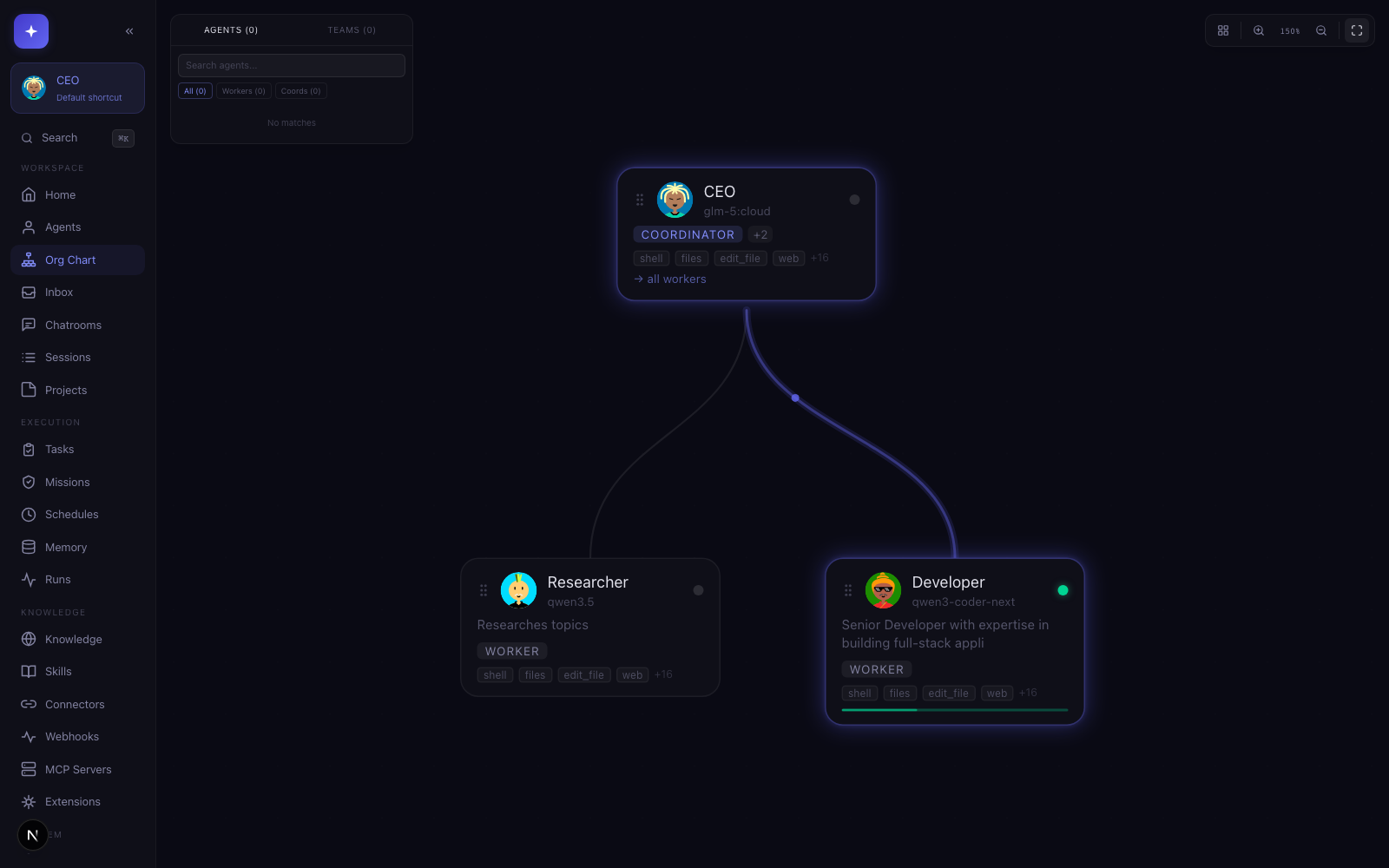
- Visual org chart for agent teams and activity
- Desktop app with one-click installer for macOS, Windows, Linux
🎯 Use cases
- Run autonomous AI agents with scheduled tasks
- Build multi-agent workflows with delegation and orchestration
- Create a self-hosted AI agent dashboard
- Integrate with OpenClaw gateways and CLI backends like Claude Code
📦 Installation
🧰 Requirements: Node.js 22.6+, npm 10+, Docker Desktop recommended for sandbox browser execution, optional provider CLIs for delegated backends.
Global install
npm i -g @swarmclawai/swarmclaw
swarmclaw
yarn global add @swarmclawai/swarmclaw
swarmclaw
pnpm add -g @swarmclawai/swarmclaw
swarmclaw
bun add -g @swarmclawai/swarmclaw
swarmclaw
Running swarmclaw starts the server on http://localhost:3456.
From the repo
git clone https://github.com/swarmclawai/swarmclaw.git
cd swarmclaw
nvm use
npm run quickstart
Docker
git clone https://github.com/swarmclawai/swarmclaw.git
cd swarmclaw
mkdir -p data
touch .env.local
docker compose up -d --build
Then open http://localhost:3456.
🚀 Usage
After installation, run swarmclaw to start the server on http://localhost:3456. For desktop app, download from swarmclaw.ai/downloads. For Docker, open http://localhost:3456 after docker compose up -d --build.
⚠️ Good to know
macOS desktop builds may be ad-hoc signed and require manual approval; the damaged-app issue remains open until Developer ID signing is configured.
❓ FAQ
What are the system requirements?
Node.js 22.6+ and npm 10+ are required. Docker Desktop is recommended for sandbox browser execution.
How do I start SwarmClaw?
Run swarmclaw after global install, or use npm run quickstart from the repo, or docker compose up -d --build for Docker.
Which LLM providers are supported?
SwarmClaw supports 23+ providers including Claude, GPT, Gemini, OpenRouter, Ollama, DeepSeek, Groq, and more.
Is there a desktop app?
Yes, a desktop app with one-click installer is available for macOS, Windows, and Linux from swarmclaw.ai/downloads.
📊 Repository
🤖 Overview, features, install steps and FAQ were generated from the project's README on Sep 4, 2026. Always check the original source before running commands.