RestGPT
RestGPT is a research codebase that connects large language models with real-world RESTful APIs to control applications like movie databases and music players. It solves the challenges of planning, API calling, and response parsing for LLM-based agents. It is intended for developers and researchers interested in LLM agents and API integration.
✨ Key features
- Iterative coarse-to-fine online planning framework
- API selector maps sub-tasks to API calls
- Executor with caller and parser modules
- Includes RestBench benchmark for TMDB and Spotify
- Supports OpenAI, TMDB, and Spotify APIs
- Provides scripts for running on RestBench
🎯 Use cases
- Build an LLM agent to query movie databases
- Control music player via natural language instructions
- Evaluate LLM performance on RESTful API tasks
- Research on connecting LLMs with real-world APIs
📦 Installation
🧰 Requirements: Requires Python, pip installs, and API keys for OpenAI, TMDB, and Spotify (fill in config.yaml).
pip install langchain colorama tiktoken spotipy openai
Create logs folder.
Get OpenAI key from OpenAI, TMDB key from https://developer.themoviedb.org/docs/getting-started, and Spotify key from https://developer.spotify.com/documentation/web-api
Fill in your own key in config.yaml
🚀 Usage
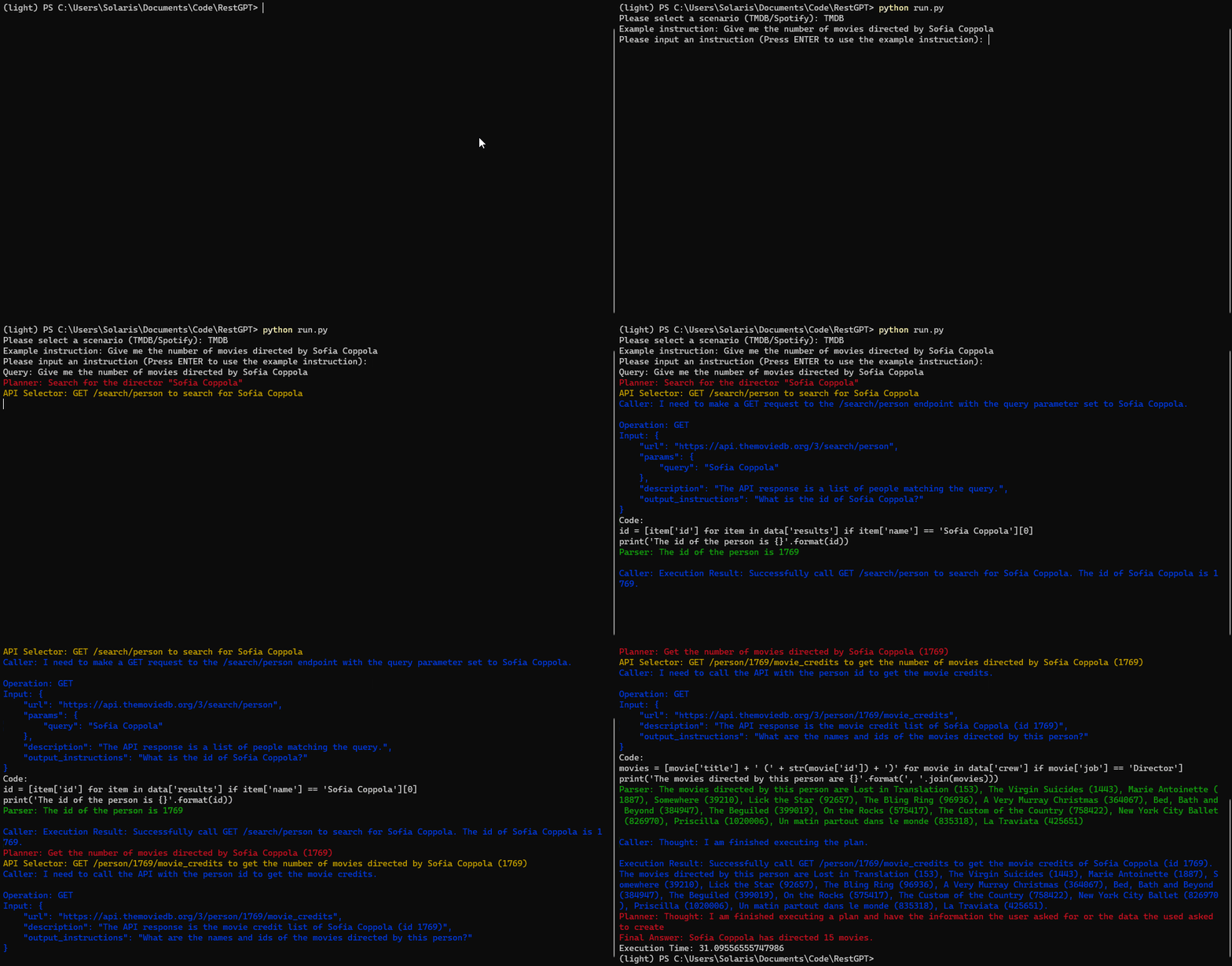
python run.py
Then input the scenario (TMDB/Spotify) and instruction.
Alternatively, run on RestBench:
python run_tmdb.pypython run_spotify.py⚠️ Good to know
The demo is under construction; Spotify initialization removes all user data; Spotify script requires manual query_idx modification.
❓ FAQ
What is RestGPT?
RestGPT is an LLM-based autonomous agent that controls real-world applications via RESTful APIs, using a coarse-to-fine planning framework.
What is RestBench?
RestBench is a benchmark with two scenarios (TMDB and Spotify) containing human-annotated instructions with gold solution paths.
How do I run RestGPT?
Run python run.py and input the scenario and instruction, or use run_tmdb.py and run_spotify.py for batch execution.
What are the required API keys?
You need OpenAI, TMDB, and Spotify keys, which you fill into config.yaml.
📊 Repository
🤖 Overview, features, install steps and FAQ were generated from the project's README on Sep 4, 2026. Always check the original source before running commands.