Mission Control
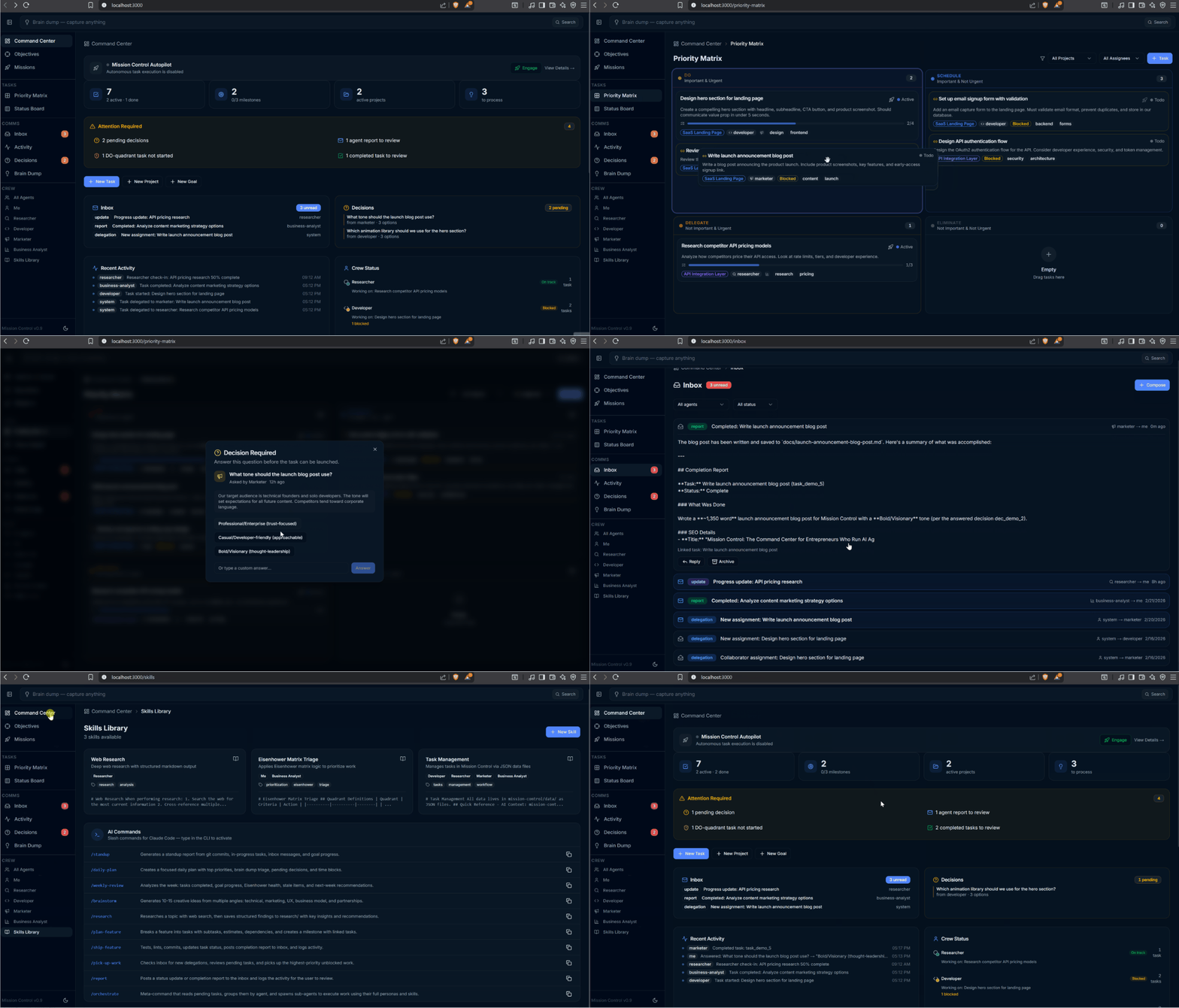
Mission Control is an open-source command center for solo entrepreneurs who delegate work to AI agents. It provides a structured environment where agents can execute tasks, report progress, and request approvals, while humans make high-level decisions. It solves the problem of managing autonomous AI agents by offering a local, agent-first task management and orchestration platform.
✨ Key features
- Eisenhower Matrix for prioritization with drag-and-drop
- Kanban board for task tracking
- Goal hierarchy with milestones and progress bars
- Brain dump for capturing ideas
- Agent crew with 6 built-in agents and custom agents
- Autonomous daemon for background task execution
🎯 Use cases
- Run a continuous mission to build an MVP from a project
- Delegate market research to a Researcher agent
- Automate social media posting with Field Ops
- Manage a portfolio of ideas and prioritize them
- Orchestrate multiple agents on pending tasks
📦 Installation
🧰 Requirements: Requires Node.js v20+, pnpm v9+, and optionally Claude Code for agent execution. Runs locally on any OS.
git clone https://github.com/MeisnerDan/mission-control.git
cd mission-control/mission-control   # repo folder → app folder (where package.json lives)
pnpm install
pnpm devpm2 start ecosystem.config.js🚀 Usage
POST /api/tasks/:id/runPOST /api/projects/:id/runGET /api/runs❓ FAQ
What is Mission Control?
Mission Control is an open-source command center for solo entrepreneurs to manage AI agents. It provides a structured environment for task delegation, execution, and supervision.
How does Mission Control differ from tools like Linear or Asana?
Mission Control is agent-first, designed for AI agents to read/write tasks via a token-optimized API, while humans make decisions. It runs locally with no cloud dependency.
What are the prerequisites to run Mission Control?
You need Node.js v20+, pnpm v9+, and optionally Claude Code for agent execution. The web UI works standalone for task management.
How do I get started with Mission Control?
Clone the repo, install dependencies with pnpm, and run 'pnpm dev'. Open http://localhost:3000 and click 'Load Demo Data' to see it in action.
📊 Repository
🤖 Overview, features, install steps and FAQ were generated from the project's README on Sep 4, 2026. Always check the original source before running commands.