Maestro
Maestro is a cross-platform desktop app for orchestrating multiple AI coding agents and projects in parallel. It solves the problem of managing fragmented attention across many AI sessions by providing a keyboard-first interface, auto-run capabilities, and git worktree integration. It is designed for power users and hackers who juggle multiple projects simultaneously.

🎬 Maestro - Agent Orchestration Command Center - Demo · Pedram Amini
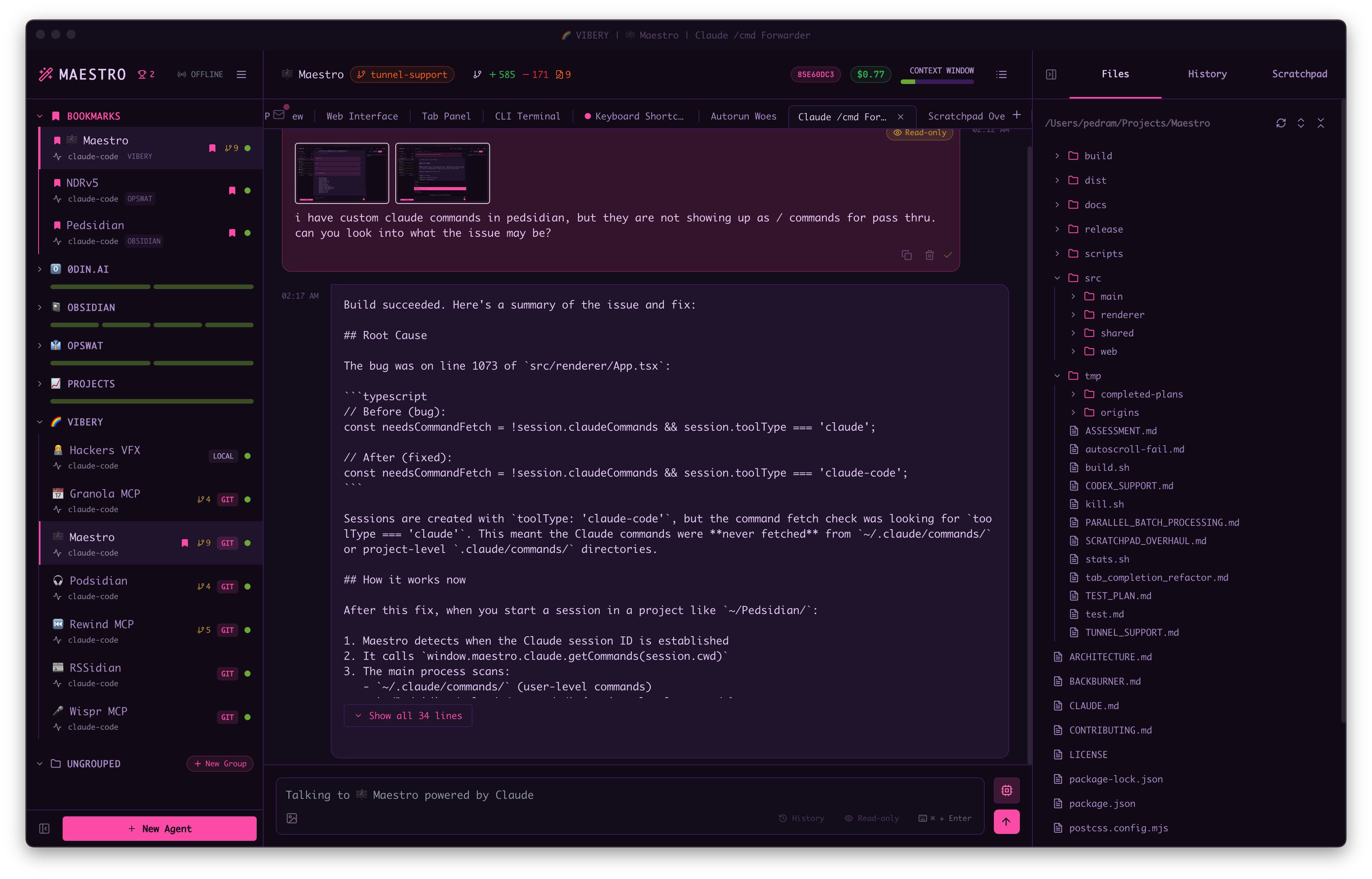
✨ Key features
- Run multiple AI agents in parallel with isolated contexts.
- Auto Run executes markdown checklists in fresh sessions.
- Git worktrees enable parallel development without conflicts.
- Group Chat coordinates multiple agents via a moderator AI.
- Mobile remote control via built-in web server and QR code.
- Full CLI for headless operation and scripting.
🎯 Use cases
- Run long unattended AI coding sessions with Auto Run playbooks.
- Parallelize development across multiple git branches using worktrees.
- Coordinate multiple AI agents in a group chat for architecture discussions.
- Monitor and control agents remotely from a phone.
- Integrate AI task execution into CI/CD pipelines via CLI.
📦 Installation
🧰 Requirements: Requires at least one supported AI coding agent installed and authenticated (Claude Code, OpenAI Codex, OpenCode, or Copilot-CLI beta). Git is optional for git-aware features. Runs on macOS, Windows, and Linux.
Download the latest release for your platform from the Releases page.
Or build from source:
git clone https://github.com/RunMaestro/Maestro.git
cd Maestro
npm install
npm run dev
🚀 Usage
After installation, launch Maestro and it will automatically discover existing sessions from supported providers. Use Cmd+K (macOS) or Ctrl+K (Windows/Linux) for quick actions, Cmd+N to create a new agent, and Cmd+J to switch between AI and terminal modes. For detailed usage, refer to the documentation at docs.runmaestro.ai.
⚠️ Good to know
Maestro is a pass-through to your AI provider; it does not add its own AI capabilities. Support for additional agents like Gemini CLI may be added based on community demand. Copilot-CLI is in beta.
❓ FAQ
Which AI agents does Maestro support?
Maestro currently supports Claude Code, OpenAI Codex, OpenCode, Factory Droid, and Copilot-CLI (beta). Support for additional agents like Gemini CLI may be added in future releases based on user demand.
Does Maestro work with my existing AI provider configuration?
Yes, Maestro is a pass-through to your AI provider. Any MCP tools, skills, permissions, or authentication configured in Claude Code, Codex, or OpenCode will work identically in Maestro.
Can I run agents in parallel without conflicts?
Yes, Maestro supports git worktrees, allowing you to run AI agents in parallel on isolated branches. Each agent operates in its own directory, preventing conflicts.
How can I automate tasks with Maestro?
Maestro includes Auto Run and Playbooks, a file-system-based task runner that batch-processes markdown checklists through AI agents. You can create playbooks for repeatable workflows and run them in loops.
📊 Repository
🤖 Overview, features, install steps and FAQ were generated from the project's README on Sep 4, 2026. Always check the original source before running commands.