AionUi
AionUi is a free, open-source desktop application that provides a unified interface for AI agents to work alongside you on your computer. It solves the problem of managing multiple AI coding agents and automating tasks by offering a built-in agent, multi-agent support, and remote access. It is for developers and professionals who want to leverage AI for file operations, document creation, and task automation.

🎬 Hermes + Aion UI is Insane (FREE)! · Julian Goldie SEO
✨ Key features
- Built-in AI agent with zero configuration
- Supports 30+ AI platforms including local models
- Multi-agent mode with auto-detection of CLI agents
- Team Mode for coordinated multi-agent collaboration
- Remote access via WebUI and chat platforms
- Extensible assistants and skills system
🎯 Use cases
- Automate file operations and document processing
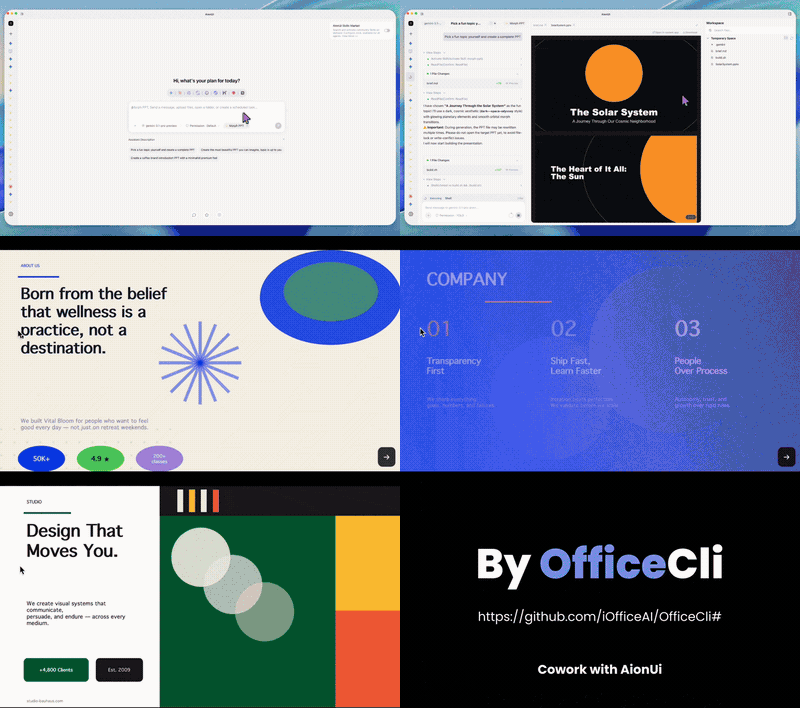
- Generate PPT, Word, and Excel files with AI
- Run multiple AI agents in parallel for complex tasks
- Access and control AI agents remotely from phone or browser
- Schedule unattended tasks with cron
📦 Installation
🧰 Requirements: Requires a desktop OS (Windows, macOS, or Linux) and an API key for at least one supported AI platform (e.g., Gemini, OpenAI, Anthropic) or a local model setup.
git clone https://github.com/iOfficeAI/AionUi.gitcd AionUinpm installnpm start🚀 Usage
# After installation, launch AionUi
# Paste your API key in the settings
# Start a conversation with the built-in agent or select an external agent
❓ FAQ
What AI platforms are supported?
AionUi supports 30+ AI platforms including Gemini, OpenAI, Anthropic, AWS Bedrock, local models like Ollama, and many Chinese and international providers.
Can I use my existing CLI agents like Claude Code?
Yes, AionUi auto-detects installed CLI agents such as Claude Code, Codex, and others, and lets you use them in a unified interface.
Is remote access available?
Yes, you can access AionUi from any device via WebUI mode or through chat platforms like Telegram, Lark, DingTalk, and WeChat.
Does AionUi require a separate CLI installation?
No, the built-in agent engine is included, so you can start using it immediately after installation with just an API key.
📊 Repository
🤖 Overview, features, install steps and FAQ were generated from the project's README on Sep 4, 2026. Always check the original source before running commands.