FutureOS
FutureOS is an open-source AI agent with a Rust core that runs across terminal, desktop, mobile, and chat apps. It solves the problem of managing long-running, multi-surface agent tasks with trust and control, requiring user approval for every tool call. It is for developers who want a local-first, model-flexible agent with durable execution.
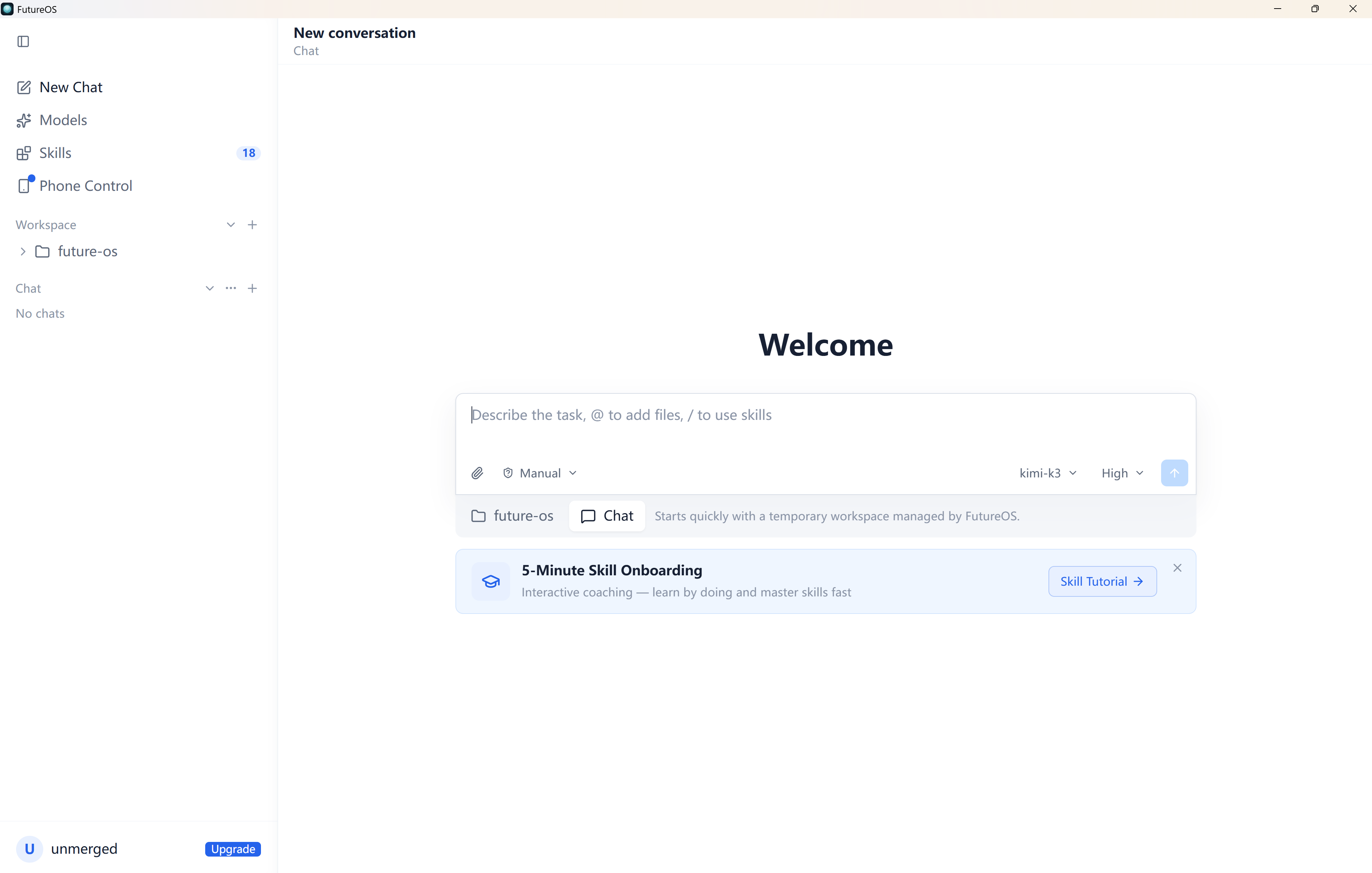
✨ Key features
- Multi-interface: TUI, desktop, mobile, CLI, IM bots
- Trust-first tool execution with approval gates and sandbox tiers
- 3800+ models across 140+ providers, custom providers supported
- Loop engineering for 24+ hour runs with goals, gates, monitors
- 15+ built-in skills for image, PDF, web, browser, slides
- Forkable sessions with clone and tree navigation
🎯 Use cases
- Run long research tasks overnight and review results from phone
- Manage files and shell commands with explicit approval
- Use one agent across terminal, desktop, and chat apps
- Build custom skills and model configurations for specific workflows
📦 Installation
🧰 Requirements: Runs on macOS, Linux, Windows; requires a model provider API key or FutureOS login.
curl -fsSL https://dl.future-os.cn/install.sh | bash
Windows PowerShell:
iex (irm https://dl.future-os.cn/install.ps1)
Installers run future init.
🚀 Usage
future config   # configure a model provider
future agent    # start the agent
future tui      # launch terminal UI
For custom providers, edit ~/.future/agent/models.json.
❓ FAQ
How do I install FutureOS?
Run the one-line install script for macOS/Linux or the PowerShell command for Windows, which auto-detects your platform and installs the appropriate package.
What models can I use?
FutureOS supports 3800+ built-in models from 140+ providers, and you can add custom providers via a models.json file.
How does tool approval work?
Every tool call (read, write, edit, shell) is gated by your approval by default, with sandbox tiers (off/manual/sandbox) and OS-level sandboxing on macOS and Windows.
Can I run long tasks?
Yes, the loop control plane supports durable goals, event-sourced state, and verification gates for runs lasting 24+ hours.
📊 Repository
🤖 Overview, features, install steps and FAQ were generated from the project's README on Sep 4, 2026. Always check the original source before running commands.