nanobot
nanobot is an ultra-lightweight, open-source, self-hosted personal AI agent framework written in Python. It solves the problem of running a persistent, tool-using AI assistant across multiple interfaces (WebUI, terminal, chat apps) with memory and automation. It is for developers who want to own and customize their AI agent stack.
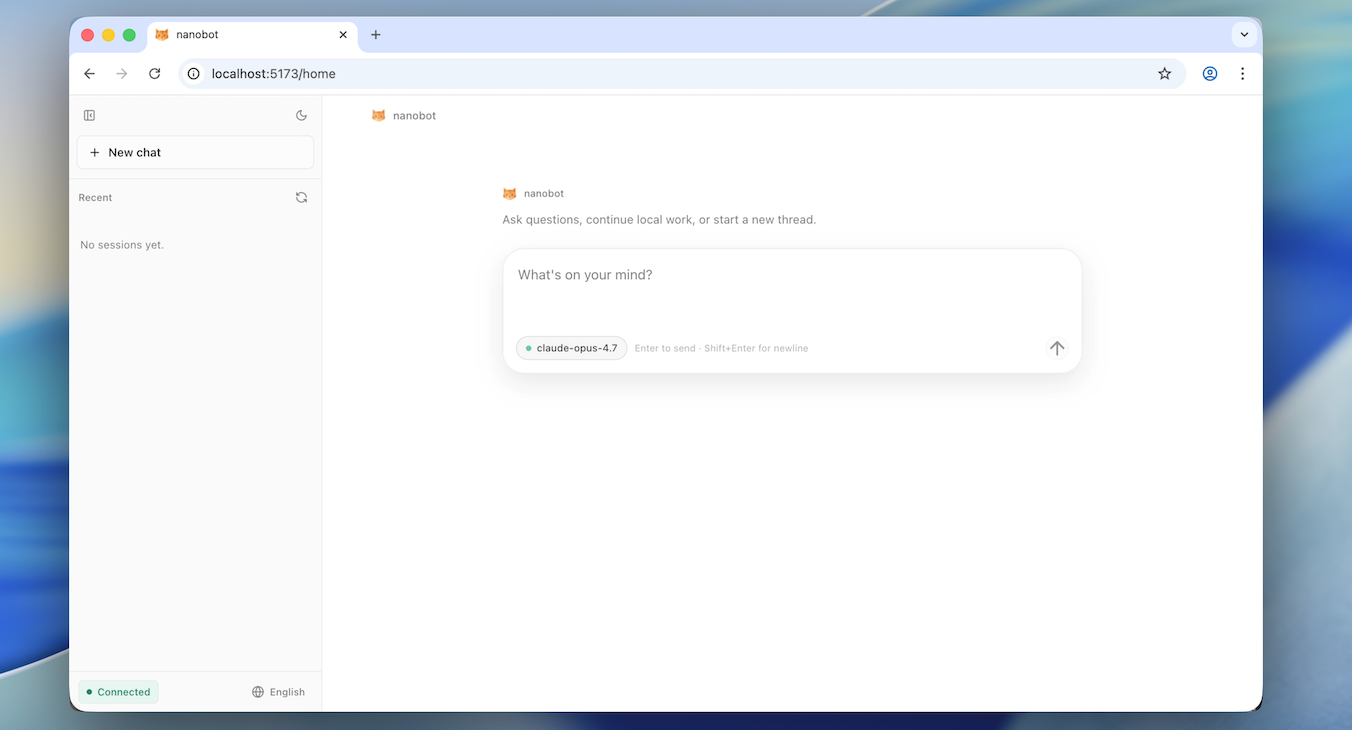
✨ Key features
- Runs in WebUI, terminal, or chat apps like Telegram and Discord.
- Combines tools, long-term memory, MCP integrations, and model routing.
- Supports multi-agent delegation and scheduled automations.
- Provides an OpenAI-compatible API and Python SDK.
- Small, readable core written in Python.
- Self-hosted and open-source.
🎯 Use cases
- Build a personal AI assistant accessible from chat apps.
- Automate long-running tasks with scheduled automations.
- Integrate AI into existing tools via the OpenAI-compatible API.
- Develop custom agents with tools and memory.
- Deploy a self-hosted agent gateway for local or server use.
📦 Installation
🧰 Requirements: Python 3.11 or newer. Git and Bun are only needed for source installs. API keys for providers are configured via WebUI or config.
Install
Pick one method:
One-command setup
macOS / Linux:
curl -fsSL https://raw.githubusercontent.com/HKUDS/nanobot/main/scripts/install.sh | sh
Windows PowerShell:
irm https://raw.githubusercontent.com/HKUDS/nanobot/main/scripts/install.ps1 | iex
Install with uv
uv tool install nanobot-ai
Install from PyPI with pip
python -m pip install nanobot-ai
Install from source
git clone https://github.com/HKUDS/nanobot.git
cd nanobot
python -m venv .venv
source .venv/bin/activate  # or .venv\Scripts\Activate.ps1 on Windows
python -m pip install -e .
Verify:
nanobot --version
🚀 Usage
Quick Start
Open nanobot in your browser:
nanobot webui
Then open http://127.0.0.1:8765 and configure a model in Settings → Models.
For a one-shot CLI reply:
nanobot -m "Hello!"
❓ FAQ
What Python version is required?
Python 3.11 or newer is required.
How do I install nanobot?
You can use the one-command installer, uv tool install nanobot-ai, pip install nanobot-ai, or install from source.
How do I start nanobot?
Run nanobot webui to open the browser interface, or nanobot for the terminal client.
Can I run nanobot in the background?
Yes, use nanobot gateway --background to keep it running after closing the terminal.
📊 Repository
🤖 Overview, features, install steps and FAQ were generated from the project's README on Sep 4, 2026. Always check the original source before running commands.