Khoj
Khoj is an open-source, self-hostable personal AI app that lets you chat with local or online LLMs, get answers from your docs and the internet, and create custom agents. It scales from on-device to enterprise cloud use and is accessible via multiple platforms. It is for developers and users who want a private, extensible AI assistant.
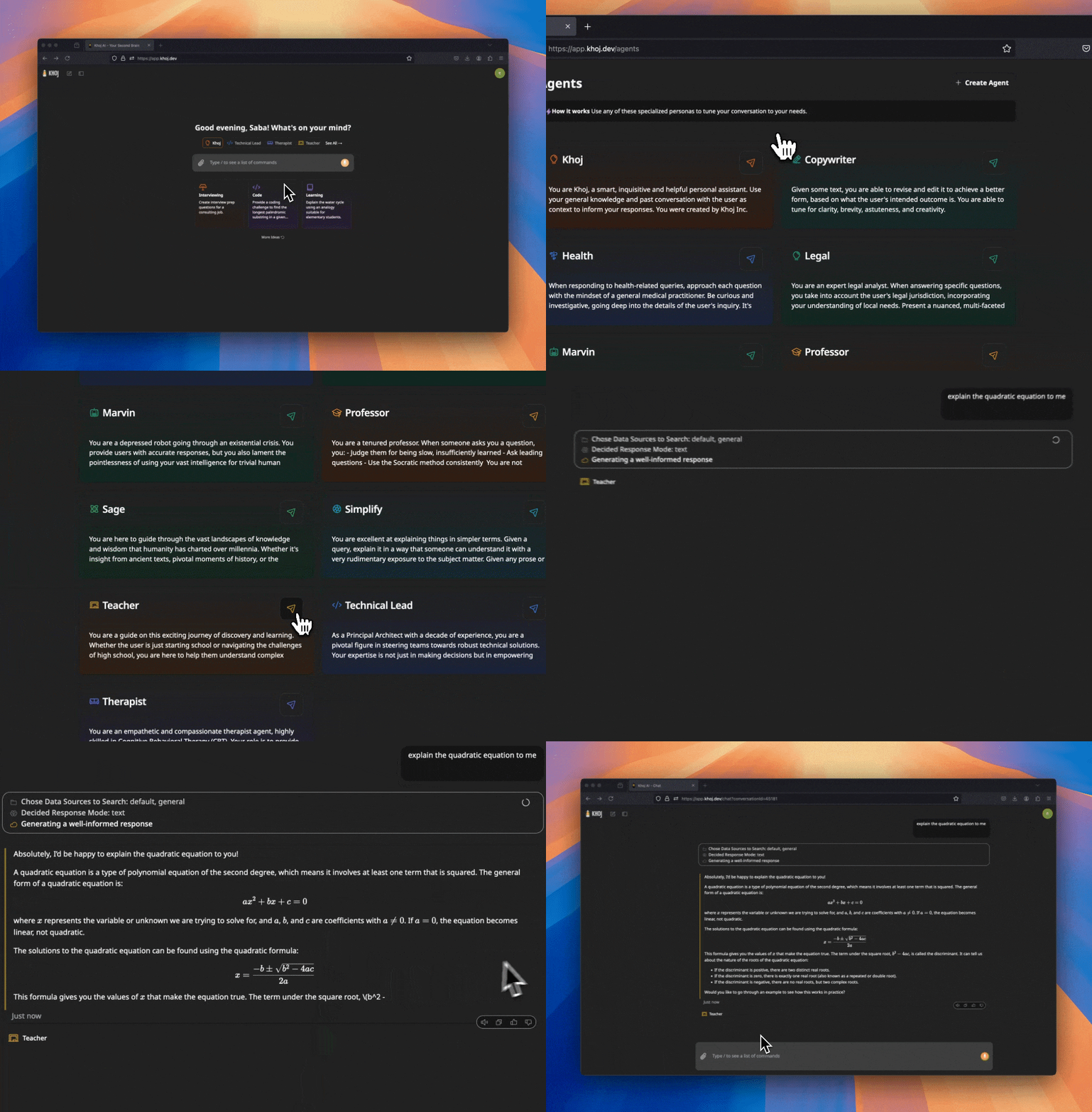
✨ Key features
- Chat with any local or online LLM
- Answers from internet and your documents
- Access from Browser, Obsidian, Emacs, Desktop, Phone, Whatsapp
- Create custom agents with knowledge and tools
- Automate research with newsletters and notifications
- Advanced semantic search for relevant docs
🎯 Use cases
- Build a personal AI assistant that answers from your notes
- Create custom agents for specialized roles
- Automate repetitive research with email digests
- Semantic search across your document collection
📦 Installation
🧰 Requirements: Self-hosting requires a computer with Docker or Python; cloud app requires no setup. API keys for online LLMs may be needed.
To self-host, follow the setup docs at https://docs.khoj.dev/get-started/setup. No explicit install commands are provided in the README.
🚀 Usage
Go to https://app.khoj.dev to use Khoj live without setup. For self-hosting, refer to the setup docs.
❓ FAQ
Can I use Khoj without self-hosting?
Yes, you can use Khoj at https://app.khoj.dev with no setup required.
What document types does Khoj support?
Khoj supports PDFs, Markdown, Notion, Word docs, org-mode files, and more.
How can I create my own agent?
Check the blog post at https://blog.khoj.dev/posts/create-agents-on-khoj/ for a step-by-step guide.
📊 Repository
🤖 Overview, features, install steps and FAQ were generated from the project's README on Sep 4, 2026. Always check the original source before running commands.