Hexis
Hexis is a self-hosted, git-backed control plane for managing AI-agent skills, tools, context, permissions, and identity. It solves the problem of centralizing and governing AI plugins and knowledge across teams, making them accessible to any MCP-capable agent. It is designed for teams and enterprises that need versioned, access-controlled, and reviewable AI resources.

🎬 Hexis: Git-backed skills, tools & context for AI agents · Bevel
✨ Key features
- Git-backed versioning with full audit trail
- MCP-native, works with any MCP-capable client
- Fine-grained per-file access control
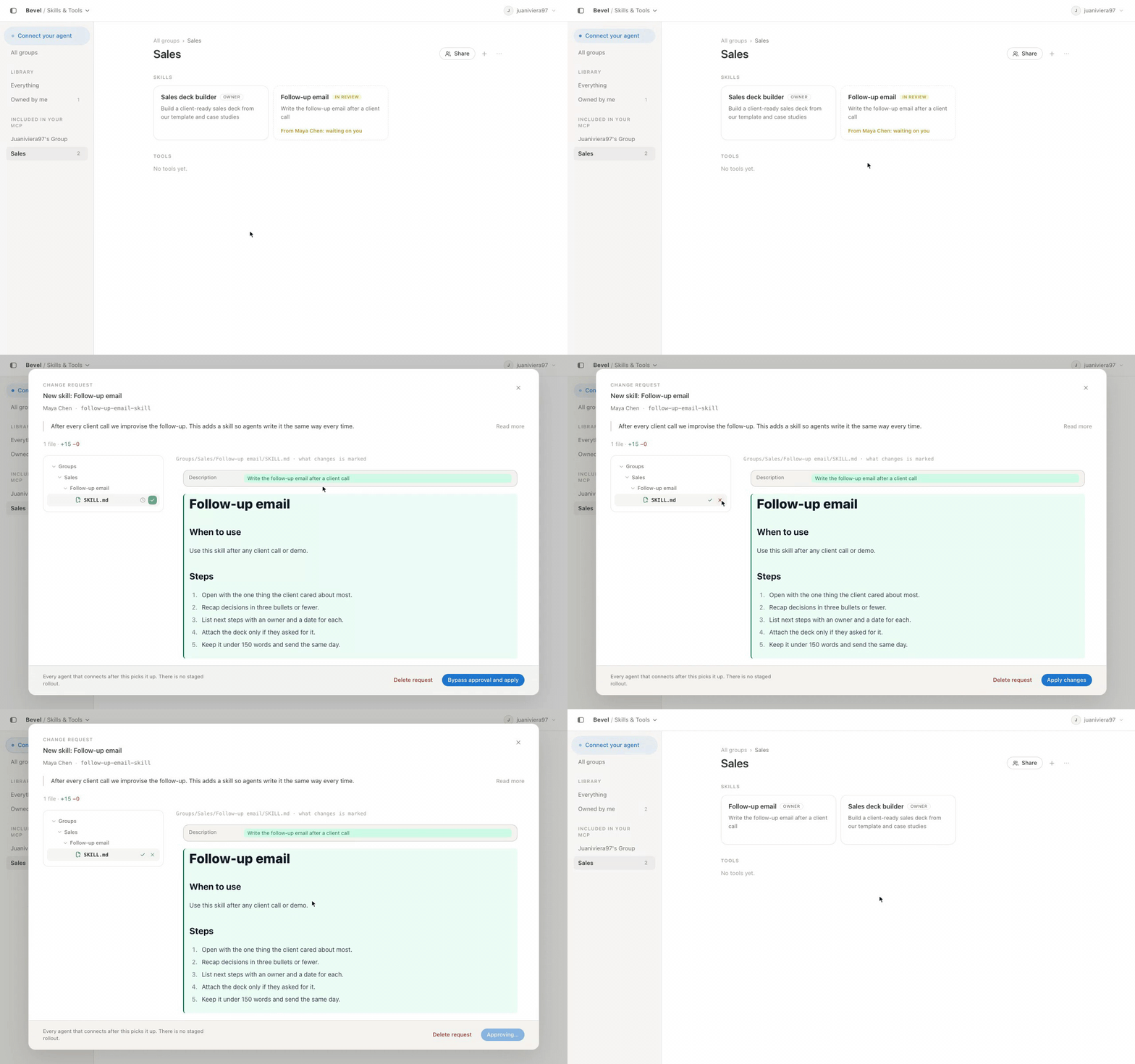
- Review-gated change requests on protected branches
- Self-hosted with Docker or from source
- Bidirectional: users and agents can propose changes
🎯 Use cases
- Centralize and manage company-wide AI skills and tools
- Connect Claude, Cline, or other agents to a shared skill catalogue
- Implement governance and audit for AI agent actions
- Collaborate on improving skills with review workflows
📦 Installation
🧰 Requirements: Requires Node 22.13+ (for source), pnpm 10, git ≥2.41, Postgres 17, or Docker with Compose for deployment. An empty git repository is needed for the knowledge base.
Docker Deployment
mkdir hexis && cd hexis
wget https://raw.githubusercontent.com/Bevel-Software/Hexis/v0.10.0/docker-compose.yml
wget -O .env https://raw.githubusercontent.com/Bevel-Software/Hexis/v0.10.0/.env.example
Fill in the required values in .env:
ADMIN_EMAIL=you@example.com
ADMIN_PASSWORD=pick-something
JWT_SECRET=…
SECRETS_ENC_KEY=…
Generate secrets:
node -e "console.log(require('crypto').randomBytes(32).toString('base64'))"
For public HTTPS:
DOMAIN=bevel.your-domain.com
Start with:
docker compose -f docker-compose.yml --profile https up -d
For local testing:
wget https://raw.githubusercontent.com/Bevel-Software/Hexis/v0.10.0/docker-compose.override.yml
docker compose up -d
Open http://localhost:3001.
🚀 Usage
Connect Hexis to Cline
cline mcp install hexis --transport http https://demo.bevel.software/api/mcp --yes
Complete OAuth sign-in in your browser. For your own deployment, replace the URL with your host.
⚠️ Good to know
The demo instance is shared and read-mostly; visitors can propose changes but only owners approve. The project is open-source under Apache-2.0.
❓ FAQ
How do agents find skills without flooding the context window?
They look them up rather than loading them all: list_skills and search narrow the field, get_skill returns one skill at call time.
Which agents can connect?
Any MCP-capable client, including Claude Code, Codex, Cursor, Cline and ChatGPT, each seeing only what its user's role allows.
How is the catalogue versioned?
By git: every save is a commit, so history, blame and revert work as they do for code, and changes to protected branches ship as reviewable change requests.
What governance do we get?
Per-file access control, review-gated change requests, and a git audit trail of who changed what and who approved it.
📊 Repository
🤖 Overview, features, install steps and FAQ were generated from the project's README on Sep 4, 2026. Always check the original source before running commands.