Dograh
Dograh is an open-source, self-hostable platform for building production voice agents, offering a visual workflow builder and an MCP server for AI-assisted design. It solves vendor lock-in and data residency issues by providing full control and transparency, and is intended for developers and teams seeking an alternative to proprietary voice AI platforms like Vapi and Retell.

🎬 Developers Finally Got an Open-Source Voice AI Platform (Dograh) · Better Stack
✨ Key features
- Visual workflow builder with nodes, transitions, and tools
- Test agents via browser audio or chat for fast iteration
- Bring your own LLM, TTS, STT, and telephony providers
- Built-in telephony integrations (Twilio, Vonage, Telnyx, etc.)
- MCP server for AI coding assistants to inspect and edit agents
- One-command Docker setup for self-hosting
🎯 Use cases
- Create inbound or outbound voice agents for lead qualification
- Build custom voice assistants with specific personas and call flows
- Integrate voice agents with existing telephony systems
- Use AI coding assistants to design and modify voice workflows
- Self-host voice AI for data residency and compliance
📦 Installation
🧰 Requirements: Requires Docker for self-hosting; no API keys needed to start, but you can connect your own LLM/TTS/STT/telephony providers.
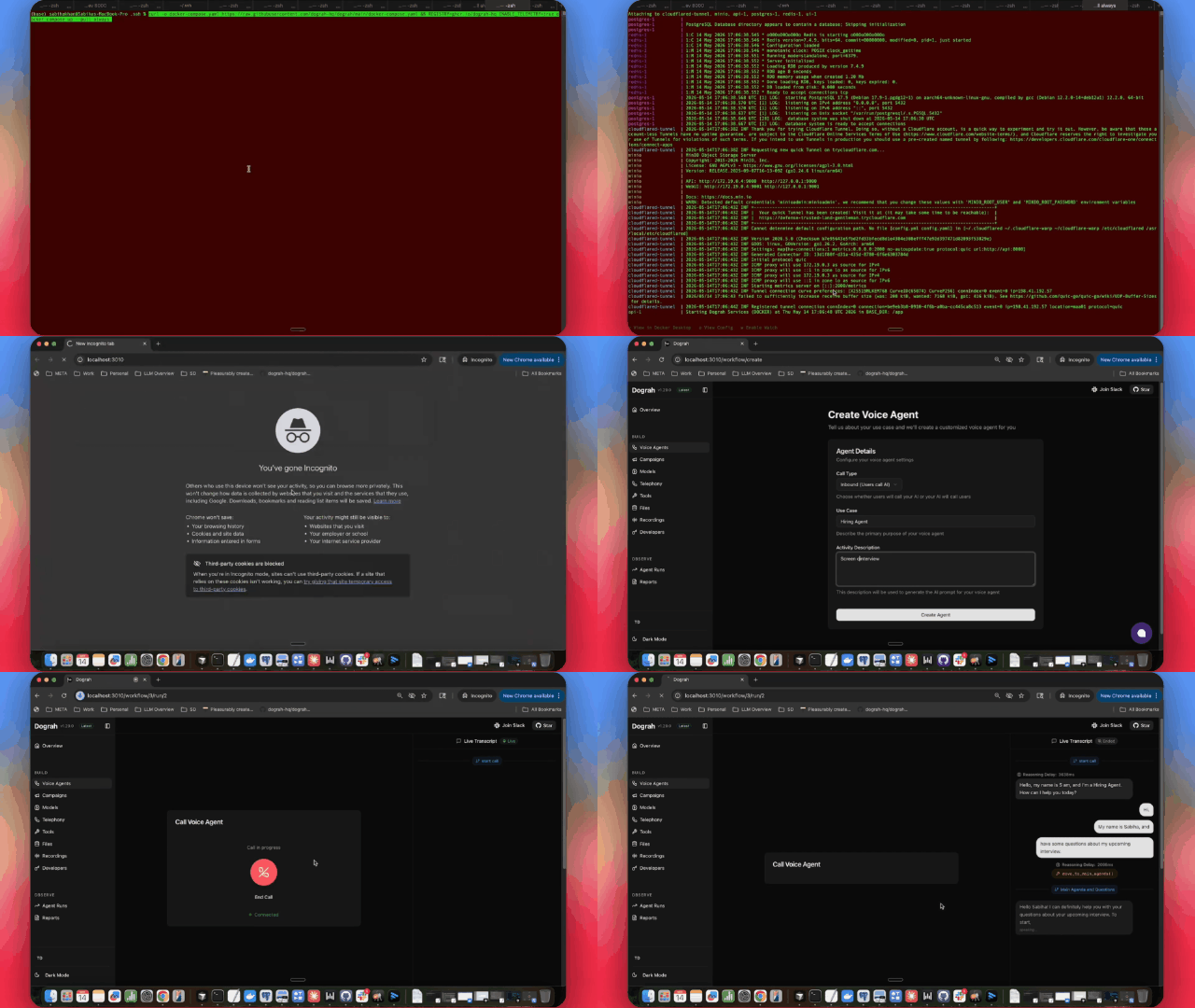
curl -o docker-compose.yaml https://raw.githubusercontent.com/dograh-hq/dograh/main/docker-compose.yaml && curl -o start_docker.sh https://raw.githubusercontent.com/dograh-hq/dograh/main/scripts/start_docker.sh && chmod +x start_docker.sh && ./start_docker.sh
Note: First startup may take 2-3 minutes to download all images. Once running, open http://localhost:3010 to create your first AI voice assistant!
🚀 Usage
- Open http://localhost:3010 in your browser.
- Pick Inbound or Outbound, name your bot, and describe the use case in 5–10 words.
- Click Test Agent.
- Use Test Audio to talk to your agent in the browser, or Test Chat to iterate faster in text.
❓ FAQ
Do I need API keys to start using Dograh?
No, Dograh ships with auto-generated keys and its own LLM/TTS/STT stack. You can connect your own keys anytime.
Can I self-host Dograh?
Yes, Dograh is 100% open source and self-hostable with a one-command Docker setup.
What telephony providers are supported?
Built-in integrations include Twilio, Vonage, Telnyx, Plivo, Vobiz, Cloudonix, and Asterisk ARI.
How can AI coding assistants help build agents?
Dograh ships with an MCP server, so coding agents like Claude Code or Codex can inspect agents, search docs, fetch node schemas, and create workflows.
📊 Repository
🤖 Overview, features, install steps and FAQ were generated from the project's README on Sep 4, 2026. Always check the original source before running commands.