WinkTerm
WinkTerm is an open-source AI-powered terminal that shares a PTY session with the user, allowing the AI to type commands directly into the terminal input line. It solves the problem of context-switching between a chatbot and a terminal by integrating AI assistance into the same session. It is for developers and system administrators who want a collaborative AI partner for terminal operations.
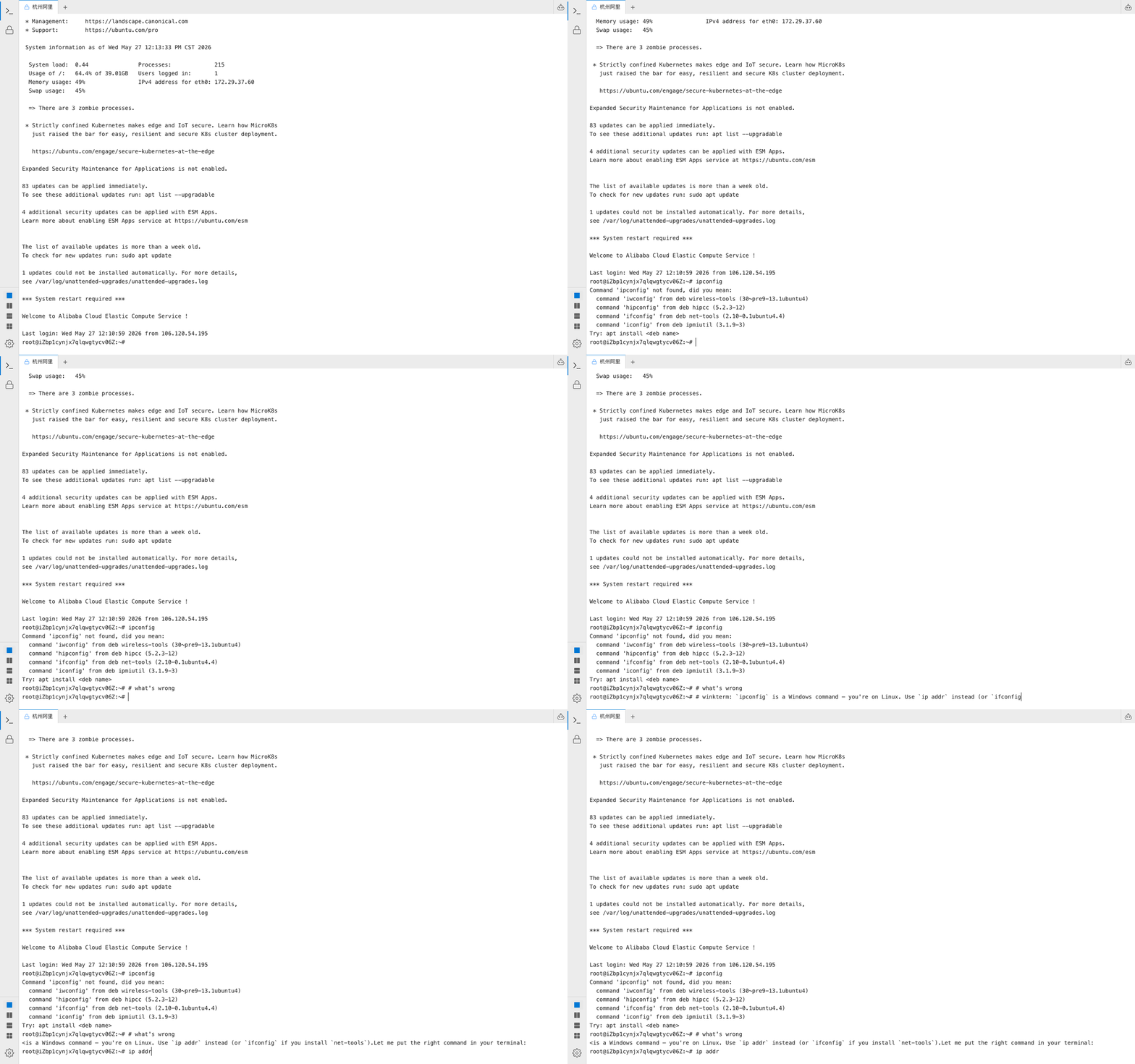
✨ Key features
- Shared PTY session: AI types in your terminal
- In-terminal chat with '#' prefix
- Sidebar AI panel with multi-conversation tabs
- Persistent chat history stored locally
- Streaming resume across reconnects
- External Agent API for remote control
🎯 Use cases
- Get command suggestions and fixes directly in the terminal
- Run multi-step operations across SSH hosts via AI agent
- Automate terminal tasks with external AI agents via HTTP API
- Collaborate with AI on complex debugging or system administration
- Use as a self-hosted terminal with AI for teams
📦 Installation
🧰 Requirements: Requires Python 3.12+ and Node.js 20+ for development; for Docker, just Docker. API keys for Anthropic or OpenAI are needed unless using Codex OAuth.
Docker (easiest)
docker run -p 3000:3000 -p 8000:8000 \
  -e ANTHROPIC_API_KEY=*** \
  ghcr.io/cznorth/winkterm:latest
Or with docker-compose:
git clone https://github.com/Cznorth/winkterm.git
cd winkterm
cp .env.example .envdocker compose up -dThen open http://localhost:3000
Desktop App
Download the latest release for your platform from the Releases page.
- Windows:
.exeinstaller - macOS:
.appbundle (Intel & Apple Silicon).
🚀 Usage
python -m uvicorn backend.main:app --reload --port 8000npm run devThen open http://localhost:3000 and use the terminal. Type # followed by a question to chat with the AI in the terminal.
❓ FAQ
How does the AI type in my terminal?
The AI writes directly into the PTY output stream, so its messages appear in the terminal input line. You can press Enter to execute, edit, or cancel.
Can I use my own LLM?
Yes, WinkTerm supports OpenAI-compatible endpoints. Set OPENAI_BASE_URL to any provider like Ollama, vLLM, Groq, or OpenRouter.
How do I use Codex OAuth?
In Settings, set API format to Codex OAuth, click Login with ChatGPT, and select a model. Tokens are stored locally in ~/.codex/auth.json.
Can external agents control the terminal?
Yes, WinkTerm provides an HTTP Agent API with endpoints for exec, SSH, and streaming. You can install a skill for Claude Code or fetch a raw skill from the backend.
📊 Repository
🤖 Overview, features, install steps and FAQ were generated from the project's README on Sep 4, 2026. Always check the original source before running commands.