BrowserTrace
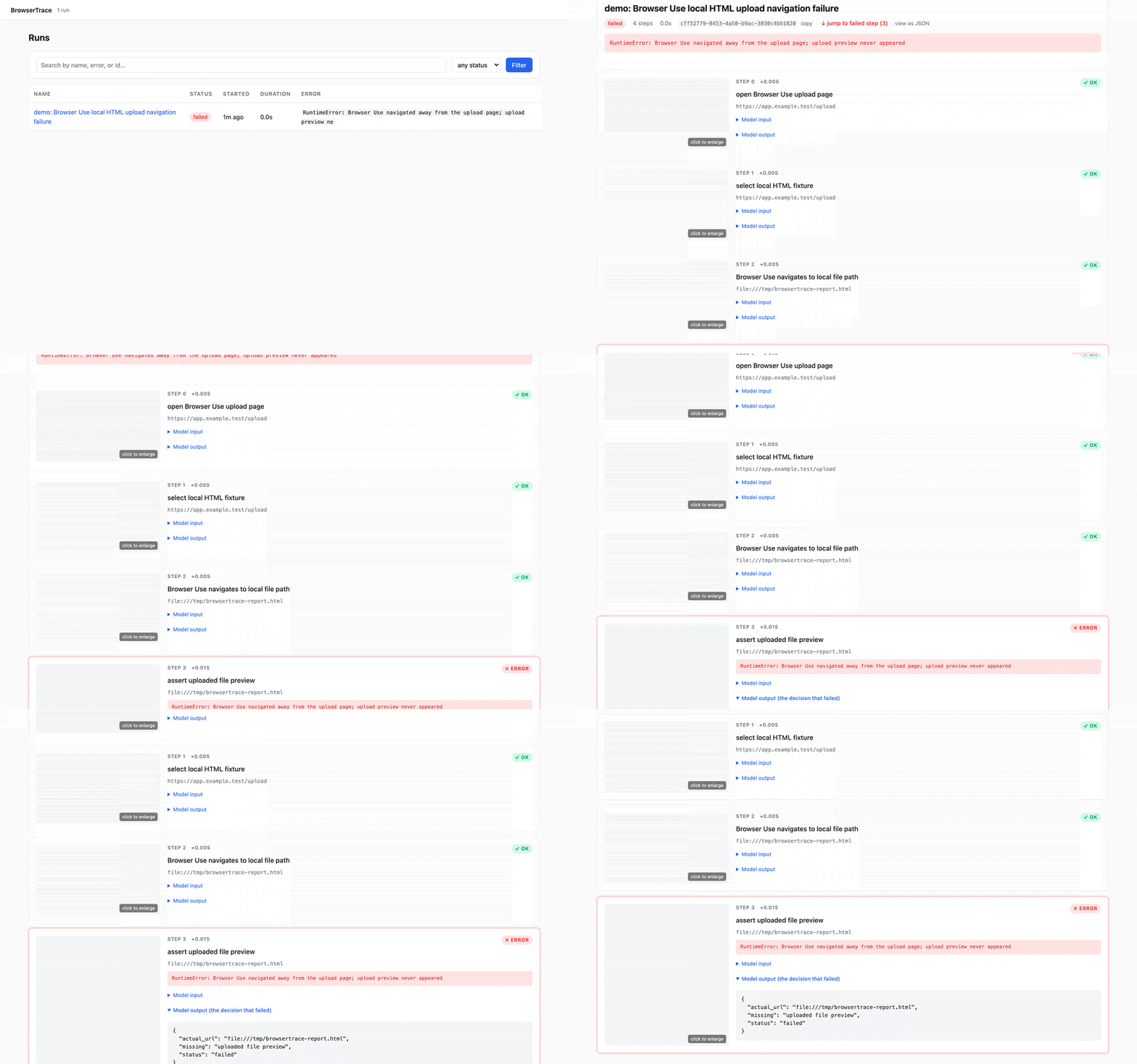
BrowserTrace is a local replay debugger for Browser Use agent failures. It records each step as a local timeline with screenshots, URLs, actions, and model I/O, letting you inspect the exact browser state where things went wrong. It is for developers debugging browser automation agents built with Browser Use, Stagehand, Skyvern, Playwright + LLM, or custom computer-use agents.
✨ Key features
- Local-first trace store with no cloud or signup
- Records screenshots, URLs, actions, and model I/O per step
- Local web UI to inspect failed steps
- Compare failed and successful runs to find first divergence
- Public-safe export omits prompts, screenshots, and URLs
- Supports Browser Use, Stagehand, Skyvern, Playwright + LLM
🎯 Use cases
- Debug why a Browser Use agent failed on a task
- Compare a failed run with a known-good run to locate first divergence
- Attach a public-safe trace export to a bug report
- Inspect step-by-step browser state in a local UI
- Troubleshoot agent failures in CI with JSON CLI output
📦 Installation
🧰 Requirements: Python 3.11+; no API keys or accounts required for local use.
pip install browsertracepip install "browsertrace[ui]"
browsertrace doctor
browsertrace demo
browsertraceOr run via uvx without persistent install:
uvx --from "browsertrace[ui]" browsertrace doctor
uvx --from "browsertrace[ui]" browsertrace demo
uvx --from "browsertrace[ui]" browsertrace list
uvx --from "browsertrace[ui]" browsertrace
🚀 Usage
browsertrace demobrowsertrace listbrowsertrace show <run_id>browsertrace compare <failed_run_id> <success_run_id>browsertrace export <run_id> --public -o public.htmlOpen the local UI at http://127.0.0.1:3000 after starting with browsertrace.
⚠️ Good to know
BrowserTrace is primarily designed for Browser Use; other integrations are secondary and may have limited coverage.
❓ FAQ
What Python version is required?
Python 3.11 or higher is required.
Do I need an API key or cloud account?
No, BrowserTrace is local-first and works without API keys or cloud services.
How do I inspect a failed run?
Use browsertrace show <run_id> to view the step timeline in the terminal, or start the UI with browsertrace and open http://127.0.0.1:3000.
How do I create a public-safe export for a bug report?
Use browsertrace export <run_id> --public -o public.html to generate an HTML report that omits prompts, model I/O, screenshots, and URLs.
📊 Repository
🤖 Overview, features, install steps and FAQ were generated from the project's README on Sep 4, 2026. Always check the original source before running commands.