SandBase CLI
SandBase CLI is a command-line tool that connects AI coding agents to over 2,000 AI models and APIs via the Model Context Protocol (MCP). It solves the problem of manually wiring each API by providing a single command to authorize and configure the bridge. It is for developers using AI coding assistants like Cursor, Claude Code, or Codex who need real-time data, image generation, or other external capabilities.
✨ Key features
- One-command connect to 2,000+ AI models and APIs.
- No API keys to manage; OAuth device flow with PKCE.
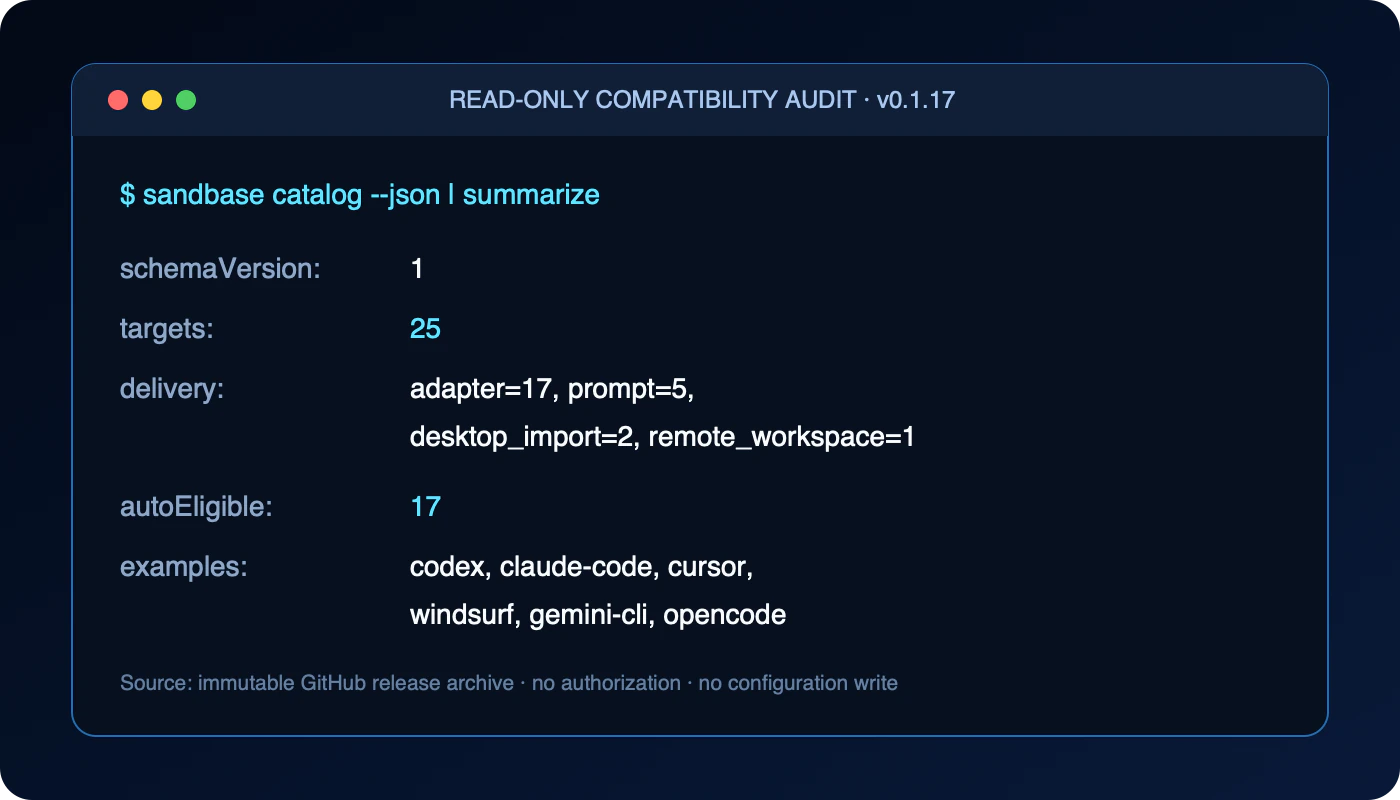
- Auto-configures 25+ AI coding clients (Cursor, Claude Code, etc.).
- Provides MCP tools: discover, inspect, run, and account.
- Credentials stored with 0600 permissions; exact rollback on unregister.
- Read-only catalog command to preview compatibility without signing in.
🎯 Use cases
- Give an AI agent web search and social media monitoring abilities.
- Generate images or videos directly from a coding assistant.
- Run LLM inference from multiple providers without managing keys.
- Scrape web pages or extract data from public URLs.
- Check account balance and review API usage costs.
📦 Installation
🧰 Requirements: Requires Node.js (for npx) or Homebrew on macOS/Linux; a free SandBase account is needed for authorization.
npx -y https://github.com/sandbaseai/cli/releases/download/v0.1.17/sandbaseai-cli-0.1.17.tgz connect
Or install the official Homebrew formula on macOS or Linux:
brew install sandbaseai/tap/sandbaseai-cli
sandbase connect
For a reproducible install, verify the immutable release archive before running it. The SHA-256 for sandbaseai-cli-0.1.17.tgz is 1ad535b2899ca460b57b3c268aef278fee28fd28e649a89b92951514fd71fffa.
curl -fL -o sandbaseai-cli-0.1.17.tgz \
  https://github.com/sandbaseai/cli/releases/download/v0.1.17/sandbaseai-cli-0.1.17.tgz
echo '1ad535b2899ca460b57b3c268aef278fee28fd28e649a89b92951514fd71fffa  sandbaseai-cli-0.1.17.tgz' | shasum -a 256 -c -
npx -y ./sandbaseai-cli-0.1.17.tgz connect
🚀 Usage
npx -y https://github.com/sandbaseai/cli/releases/download/v0.1.17/sandbaseai-cli-0.1.17.tgz connectnpx -y https://github.com/sandbaseai/cli/releases/download/v0.1.17/sandbaseai-cli-0.1.17.tgz connect --client cursorAfter connecting, ask your agent to use the MCP tools. Recommended workflow: discover → inspect → run.
⚠️ Good to know
The npm latest tag currently serves v0.1.14 while tokenless trusted publishing is being enabled; the GitHub release tarball is built from the immutable v0.1.17 tag.
❓ FAQ
How do I install SandBase CLI?
You can run it directly via npx with the release tarball URL, or install the Homebrew formula on macOS/Linux with brew install sandbaseai/tap/sandbaseai-cli.
Do I need to manage API keys?
No. SandBase uses OAuth device flow with PKCE, and the API key is saved locally with file permissions 0600.
Which AI clients are supported?
It supports 25+ clients including Cursor, Claude Code, Codex, Windsurf, Gemini CLI, and more. Some are auto-configured, others require manual setup.
How do I remove SandBase configuration?
Use the unregister command, e.g., sandbase unregister --client openclaw. It removes only the configuration owned by SandBase, preserving user-managed entries.
📊 Repository
🤖 Overview, features, install steps and FAQ were generated from the project's README on Sep 4, 2026. Always check the original source before running commands.