OpenYabby
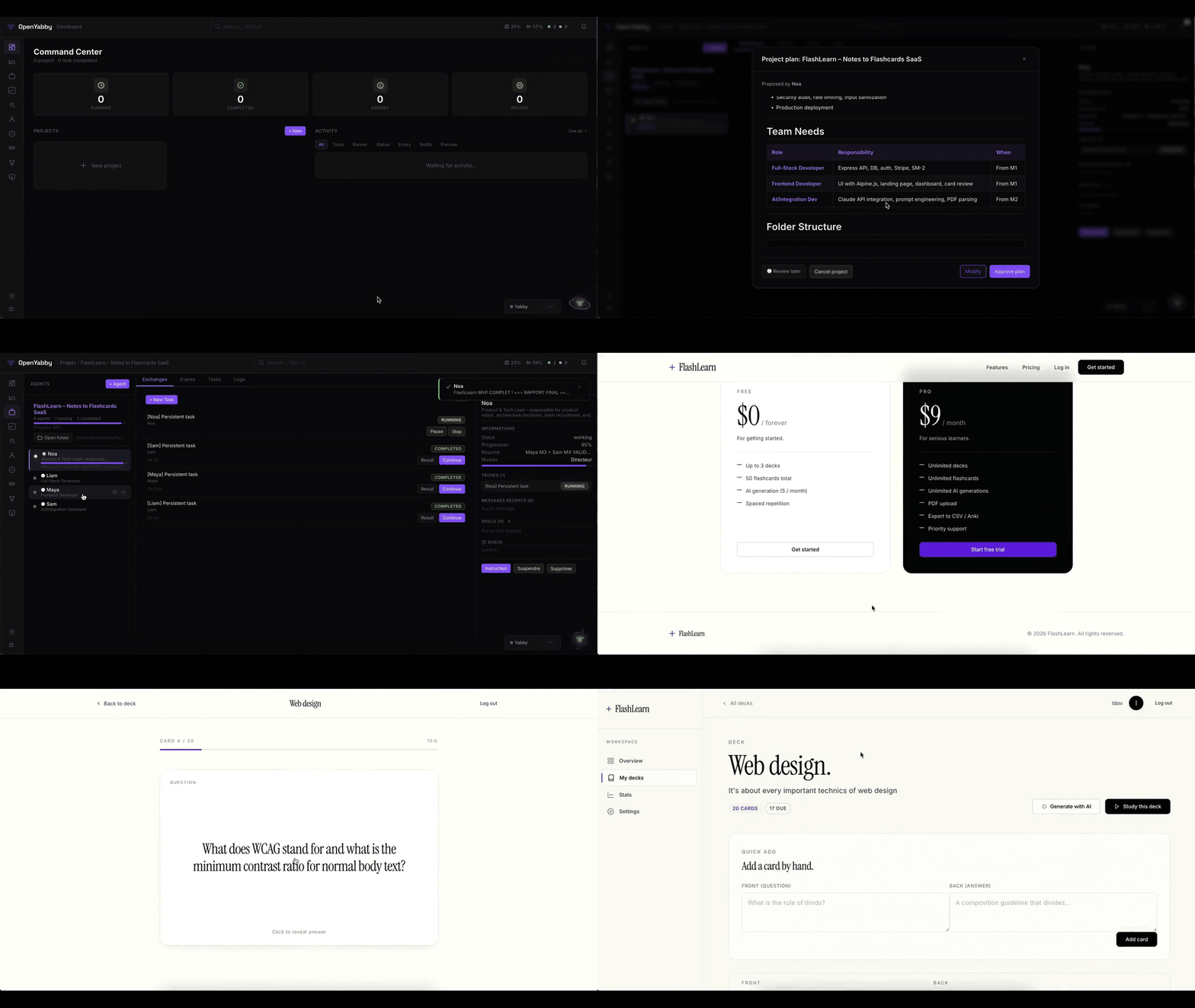
OpenYabby is an open-source, voice-driven agent orchestration system for macOS that turns conversational requests into structured, multi-agent workflows. It solves the problem of managing complex, multi-step projects by coordinating planning, execution, review, and QA through AI agents, with real local task execution. It is for developers and power users who want a hackable, voice-first alternative to closed AI assistants.
✨ Key features
- Voice-driven interaction with wake word and real-time audio
- Multi-agent orchestration with lead, manager, and sub-agents
- Executes real local tasks via CLI runners (Claude Code, etc.)
- Persistent memory across sessions using Mem0 and Qdrant
- 30+ connectors and MCP server support for external tools
- Multi-channel support: web, WhatsApp, Discord, Slack, Telegram, Signal
🎯 Use cases
- Build a landing page by voice command
- Coordinate frontend and backend development workstreams
- Create standalone research agents on WhatsApp
- Automate recurring tasks with scheduling and cron triggers
- Manage project plans with approval and revision workflow
📦 Installation
🧰 Requirements: Requires Node.js 20+, Docker (recommended) or PostgreSQL 14+ and Redis 6+, Claude CLI, and an OpenAI API key with Realtime API access. macOS recommended for full features.
git clone https://github.com/OpenYabby/OpenYabby.git
cd OpenYabby
./setup.sh              # checks prereqs, installs deps, starts PG+Redis, launches server
# -> http://localhost:3000
For manual setup:
npm install
cp .env.example .env    # fill in your API keys
npm run dev             # starts Node (port 3000) + Speaker service (port 3001)
🚀 Usage
After starting, open http://localhost:3000, say "Yabby" and try a prompt like:
"Create a project plan for a startup landing page."
Or use the CLI example from README:
# No direct CLI usage; use web UI or messaging channels.
⚠️ Good to know
OpenYabby can execute local system commands with broad machine access; authentication is disabled by default and should be enabled before remote exposure. Docker is recommended only for infrastructure, as Claude CLI requires host access.
❓ FAQ
What are the prerequisites for running OpenYabby?
You need Node.js 20+, Docker (or PostgreSQL 14+ and Redis 6+), Claude CLI installed globally, and an OpenAI API key with Realtime API access.
How do I start OpenYabby?
Run ./setup.sh after cloning the repository. It checks prerequisites, installs dependencies, starts PostgreSQL and Redis in Docker, and launches the server at http://localhost:3000.
Can I use OpenYabby without Docker?
Yes, run ./setup.sh local to use your own PostgreSQL and Redis instances, but you'll need to edit the .env file to match your setup.
What CLI runners are supported for task execution?
Claude Code is the default, but Codex, Aider, Goose, Cline, and Continue are also supported.
📊 Repository
🤖 Overview, features, install steps and FAQ were generated from the project's README on Sep 4, 2026. Always check the original source before running commands.