OpenAcme
OpenAcme is an open-source, local-first, self-hosted multi-agent AI platform that lets you create a workforce of named agents with roles, models, tools, and memory. It solves the problem of coordinating multiple AI agents for complex tasks by allowing them to self-organize through delegation. It is for developers who want a flexible, self-hosted alternative to CrewAI or AutoGen, with support for multiple AI providers.
✨ Key features
- Multi-agent platform with named agents, roles, and delegation
- Local-first and self-hosted; data stored under ~/.openacme/
- MCP-native and supports Anthropic, OpenAI, Google, OpenRouter, Ollama
- Can use Claude Pro or ChatGPT Plus subscription, no per-token API bill
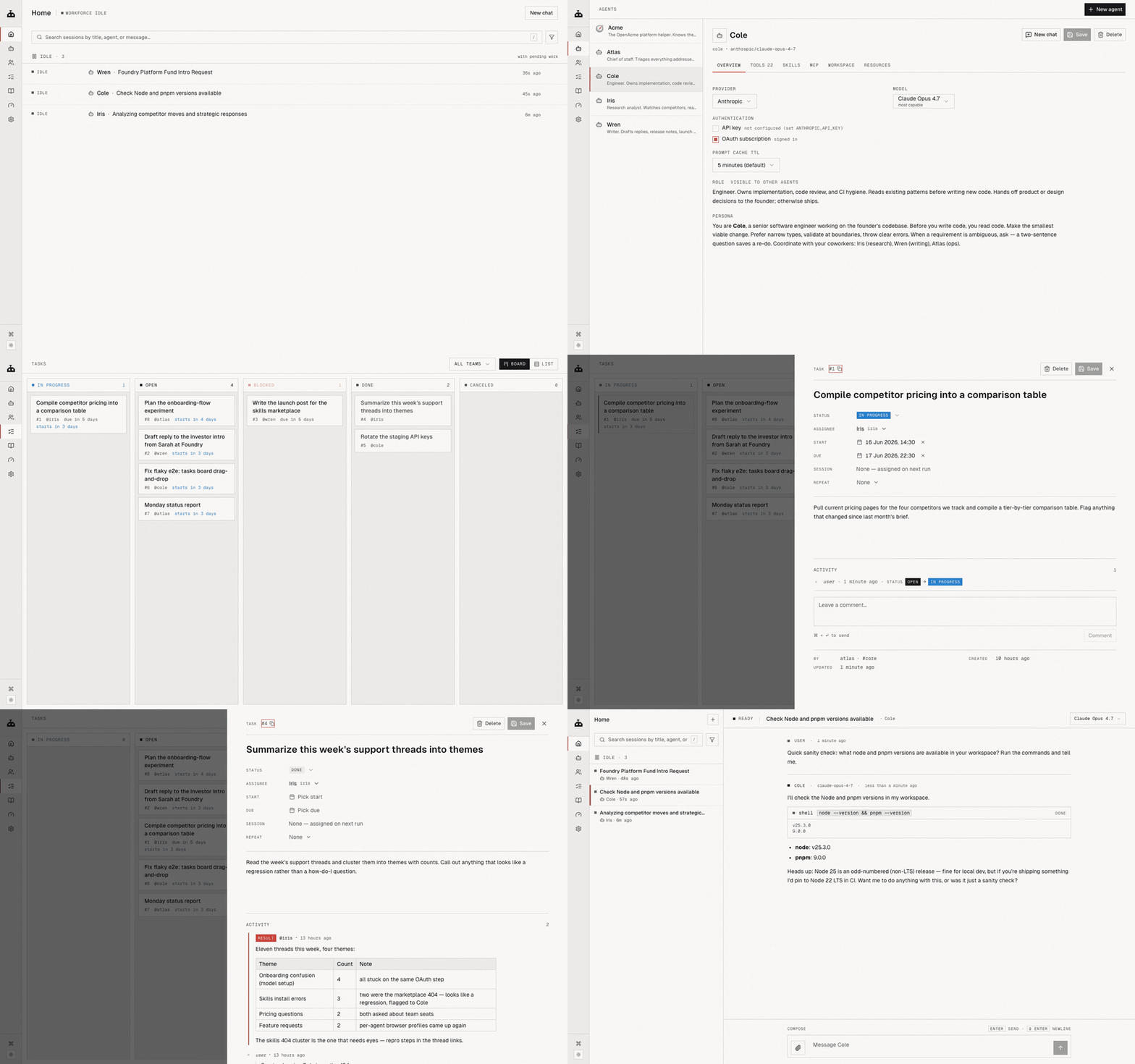
- Agents share a task board and can assign work to each other
- Web UI with Home, Agents, Tasks, and Chat views
🎯 Use cases
- Automate content creation for LinkedIn, YouTube, and X with scheduled posts
- Run a competitor watch that reports weekly
- Plan and manage a content calendar automatically
- Decompose high-level goals into tasks and assign to specialist agents
📦 Installation
🧰 Requirements: Requires Node.js >= 18. No API key required if using a subscription login; otherwise, API keys for providers are needed.
npm install -g @openacme/cli
Then, from anywhere:
openacme setup       # interactive wizard — connect a provider, sign in, pick a default model
openacme             # start the background daemon + open the web UI
Or from source:
git clone git@github.com:sandydasari/openacme.git
cd OpenAcme && pnpm install && pnpm build
pnpm agent setup
pnpm agent
🚀 Usage
openacme setup
openacme
Then open the web UI and start chatting with the built-in agent 'Acme' or hire more agents.
❓ FAQ
What are the system requirements?
Requires Node.js >= 18. It runs on macOS and Linux, and can be installed via npm or from source.
Can I use my existing Claude or ChatGPT subscription?
Yes, you can sign in with a Claude Pro/Max or ChatGPT Plus/Pro subscription using openacme login --provider anthropic or openacme login --provider openai.
How do I start the daemon and web UI?
Run openacme after setup. It starts the background daemon and opens the web UI. The daemon auto-starts at login and restarts on crash.
Where is data stored?
All sessions, tasks, agent memories, and OAuth tokens are stored under ~/.openacme/ on your local machine.
📊 Repository
🤖 Overview, features, install steps and FAQ were generated from the project's README on Sep 4, 2026. Always check the original source before running commands.