Open-AutoGLM
Open-AutoGLM is a phone agent framework that uses multimodal AI to understand and control Android or HarmonyOS devices via ADB/HDC. It automates tasks from natural language commands, such as searching apps or comparing prices. It is for developers building mobile automation tools.
✨ Key features
- Multimodal screen understanding with visual language models
- Natural language task execution with intelligent planning
- Supports Android (ADB) and HarmonyOS (HDC) devices
- Remote debugging over WiFi or network
- Sensitive operation confirmation and human takeover
- Integration with Midscene.js for cross-platform automation
🎯 Use cases
- Automate app tasks like searching and price comparison
- Control devices remotely for testing or automation
- Build custom phone agents for specific workflows
- Integrate with Midscene.js for UI automation
📦 Installation
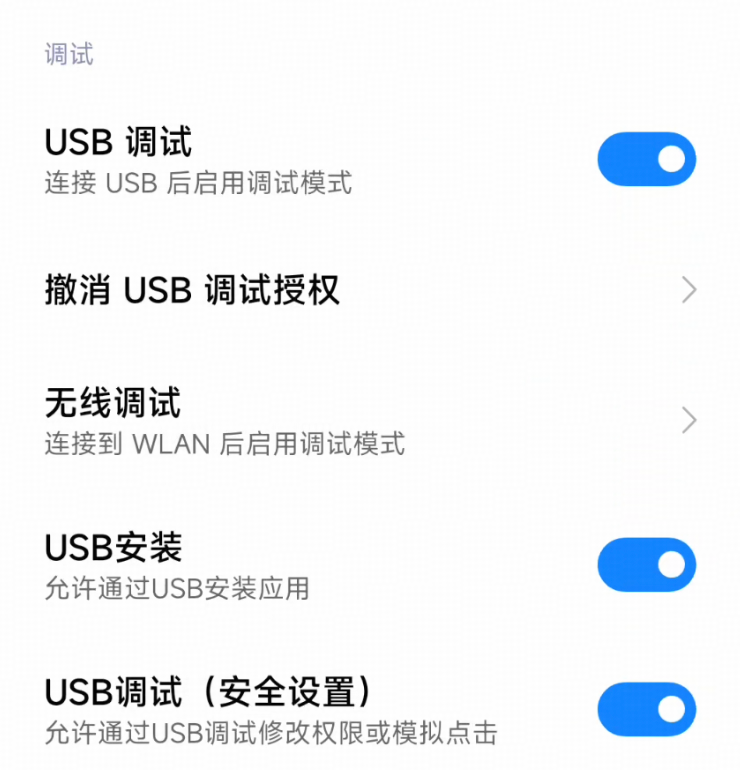
🧰 Requirements: Python 3.10+, Android 7.0+ or HarmonyOS device with USB debugging enabled, ADB or HDC tools, and a model service (local or third-party API key).
pip install -r requirements.txt
pip install -e .
For Android, install ADB Keyboard APK and enable it. For HarmonyOS, no extra keyboard needed. Ensure device is connected via USB with debugging enabled.
🚀 Usage
python main.py --base-url http://localhost:8000/v1 --model "autoglm-phone-9b" "打开美团搜索附近的火锅店"python main.py --base-url https://open.bigmodel.cn/api/paas/v4 --model "autoglm-phone" --apikey "your-bigmodel-api-key" "打开美团搜索附近的火锅店"⚠️ Good to know
Project is for research and learning only; not for illegal activities. Some devices may require additional setup.
❓ FAQ
What devices are supported?
Android 7.0+ and HarmonyOS NEXT and above devices are supported, using ADB and HDC respectively.
How do I connect a device remotely?
Use adb connect <ip>:<port> for Android or hdc tconn <ip>:<port> for HarmonyOS, ensuring both are on the same network.
Can I use a third-party model service?
Yes, you can use Zhipu BigModel or ModelScope by providing their base URL, model name, and API key.
How do I list supported apps?
Run python main.py --list-apps for Android or python main.py --device-type hdc --list-apps for HarmonyOS.
📊 Repository
🤖 Overview, features, install steps and FAQ were generated from the project's README on Sep 4, 2026. Always check the original source before running commands.