MixedVoices
MixedVoices is an analytics and evaluation tool for voice agents. It helps developers track, visualize, and optimize agent performance through conversation analysis, call quality metrics, and call flow charts, and run simulations before production. It is designed for developers building voice AI agents.
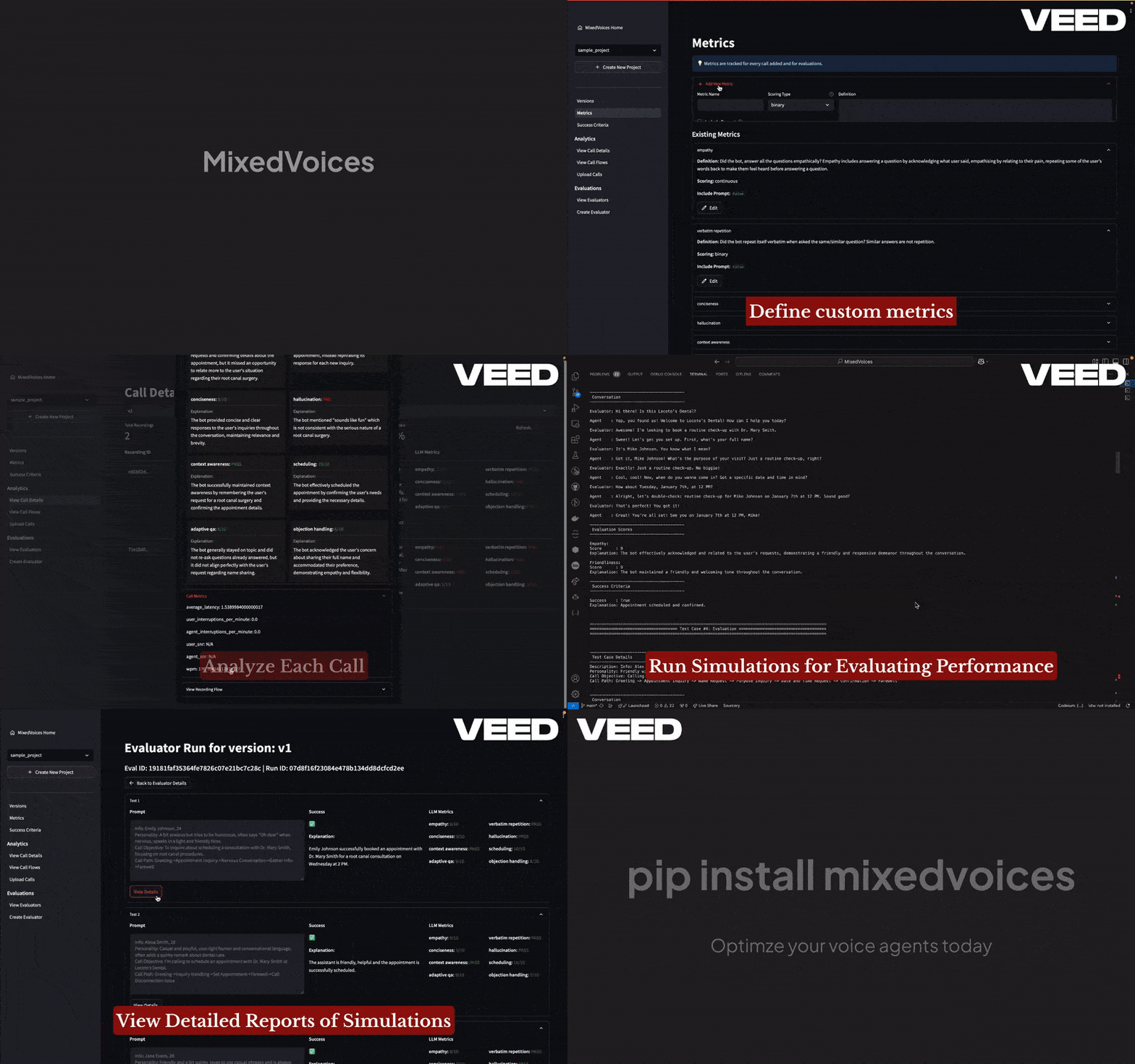
✨ Key features
- Python API for quick integration
- Interactive dashboard for all operations
- Call flow analysis with interactive flowcharts
- Version control to compare agent iterations
- ML performance metrics (hallucinations, empathy, etc.)
- Call quality analysis (interruptions, latency, etc.)
🎯 Use cases
- Analyze recorded calls to evaluate agent performance
- Run simulations to test agents before deployment
- Compare different versions of an agent
- Generate test cases from transcripts and edge cases
- Evaluate custom or Bland AI agents
📦 Installation
🧰 Requirements: Requires Python, OpenAI API key (and Deepgram API key if using nova-2 for transcription).
pip install mixedvoices
🚀 Usage
import mixedvoices as mv

# Create or load a project
project = mv.create_project("dental_clinic")
v1 = project.create_version("v1", prompt="You are a ...")

# Analyze a call recording
v1.add_recording("path/to/call.wav")
⚠️ Good to know
Currently analytics supports OpenAI GPT models from gpt-3.5 onwards and transcription supports OpenAI whisper and Deepgram nova-2; roadmap includes support for other APIs and open source LLMs.
❓ FAQ
How do I configure the models used?
Run mixedvoices config to choose models for analytics and transcription, then set the corresponding API keys (OPENAI_API_KEY, DEEPGRAM_API_KEY if needed).
Can I add recordings in a non-blocking way?
Yes, use v1.add_recording("path/to/call.wav", blocking=False) to run analysis in a separate thread.
How do I evaluate a custom agent?
Create a class inheriting from mv.BaseAgent and implement the respond method, then use project.create_evaluator and evaluator.run.
What is the dashboard and how do I launch it?
The dashboard is an interactive UI for managing projects and viewing analytics. Launch it with mixedvoices dashboard.
📊 Repository
🤖 Overview, features, install steps and FAQ were generated from the project's README on Sep 4, 2026. Always check the original source before running commands.