MicroAgent
Microagents is an experimental framework for dynamically creating self-improving agents in response to tasks. It generates small, microservice-sized agents that are assessed, validated, and stored for reuse, enabling learning across chat sessions. It is intended for developers who want to build AI-powered assistants that can autonomously create and refine tools.
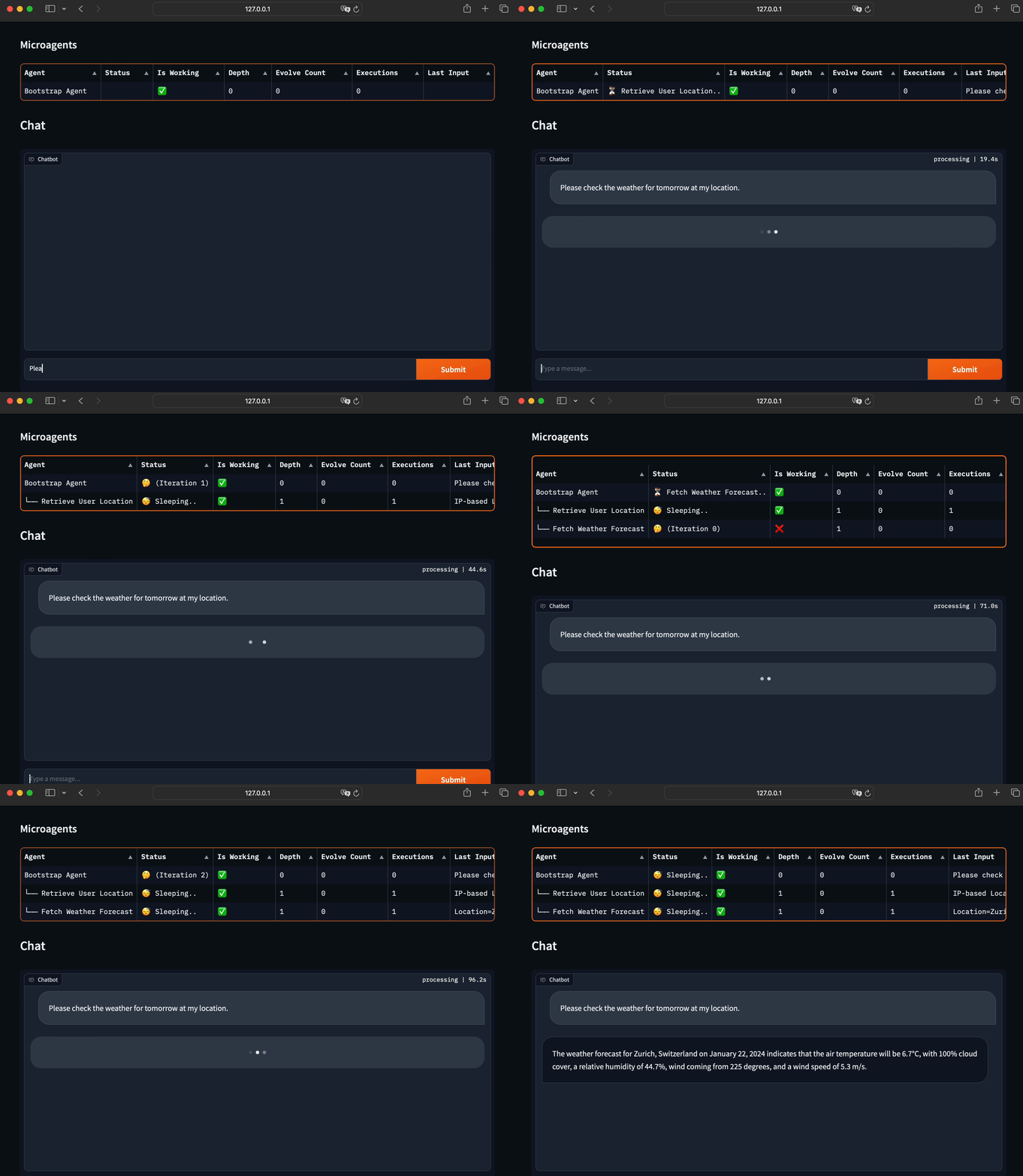
✨ Key features
- Dynamically generates agents for tasks
- Validates agents with a 'Judge' phase
- Stores agents persistently in SQLite
- Supports parallel agent creation
- Includes 28 pretrained agents
- Offers CLI and web interfaces
🎯 Use cases
- Automating weather forecast retrieval
- Fetching geolocation from IP addresses
- Building a self-improving assistant
- Creating reusable microservices for tasks
📦 Installation
🧰 Requirements: Requires Python, an OpenAI account with access to gpt-4-turbo and text-embedding-ada-002, and optionally Azure OpenAI credentials.
git clone https://github.com/aymenfurter/microagents.git
pip install -r requirements.txt
Set environment variables:
- For OpenAI API:
export OPENAI_KEY='your_api_key_here' - For Azure OpenAI with API key:
export AZURE_OPENAI_API_KEY='your_api_key_here'andexport AZURE_OPENAI_ENDPOINT='https://my_endpoint_name_here.openai.azure.com/' - For Azure OpenAI with Entra ID:
export AZURE_OPENAI_ENDPOINT='https://my_endpoint_name_here.openai.azure.com/'andexport AZURE_OPENAI_USE_AAD='true'
🚀 Usage
For a demo run:
python main.py
For an interactive chat experience:
python app.py
⚠️ Good to know
Microagents execute Python code directly without a sandbox, so it is recommended to run them in isolated environments like GitHub Codespaces or Docker.
❓ FAQ
How do I remove all agents?
Simply delete the agents.db file.
What are the prerequisites?
You need an OpenAI account with access to gpt-4-turbo and text-embedding-ada-002.
Can I use Azure OpenAI?
Yes, you can set environment variables for Azure OpenAI with API key or Entra ID.
Is there a web interface?
Yes, there is a feature-rich web interface based on Gradio.
📊 Repository
🤖 Overview, features, install steps and FAQ were generated from the project's README on Sep 6, 2026. Always check the original source before running commands.