KubeStellar Console
KubeStellar Console is an AI-powered multi-cluster Kubernetes dashboard with guided install missions for 250+ CNCF projects. It solves the problem of managing and deploying applications across multiple clusters by providing a unified interface and step-by-step installation guidance. It is for developers and platform engineers who need to operate Kubernetes clusters and deploy CNCF projects.
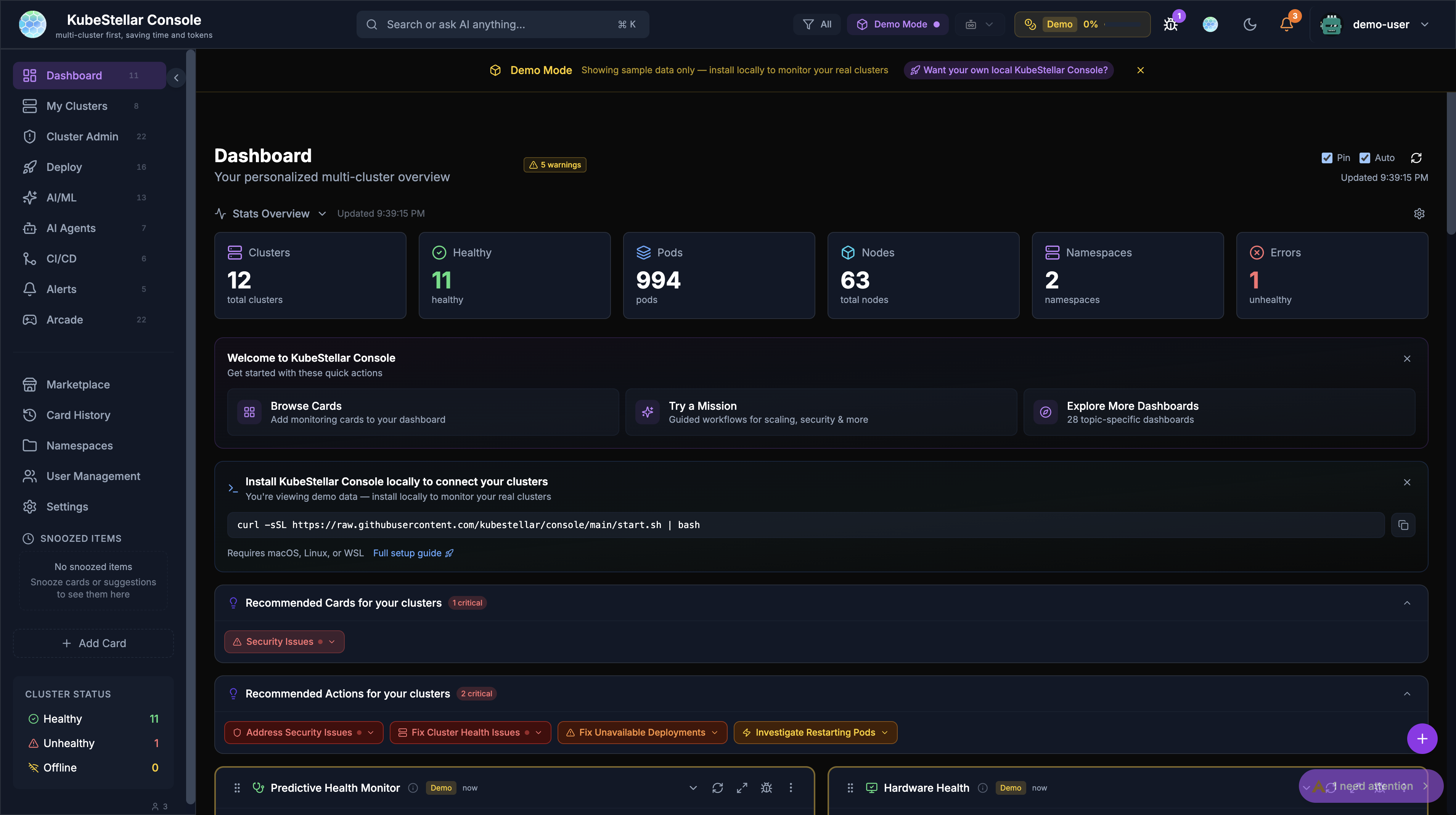
✨ Key features
- AI-powered multi-cluster Kubernetes dashboard
- Guided install missions for 250+ CNCF projects
- Extensible via community marketplace for dashboards and themes
- Self-hosted or hosted demo options
- Bridges to your clusters via kc-agent
- Optional AI features with BYOK
🎯 Use cases
- Explore and evaluate the console UI with demo data
- Connect the console to your own clusters for real-time management
- Self-host the console for air-gapped or custom OAuth environments
- Deploy the console inside a cluster using deploy.sh
- Extend with community dashboards and presets from the marketplace
📦 Installation
🧰 Requirements: For self-hosting: a Kubernetes cluster (optional) and curl; for kc-agent: a kubeconfig with reachable clusters, macOS/Linux/Windows WSL2, and optionally Go 1.26.4+ for source builds.
curl -sSL https://raw.githubusercontent.com/kubestellar/console/main/start.sh | bash
For development builds of kc-agent (requires Go 1.26.4+):
mkdir -p bin
go build -o bin/kc-agent ./cmd/kc-agent && ./bin/kc-agent
🚀 Usage
After running start.sh, open http://localhost:8080 in your browser. The console will show your local clusters in the cluster picker if kc-agent is running.
⚠️ Good to know
The hosted demo does not connect to a local agent, so AI features and real cluster data require self-hosting; native Windows is not supported (use WSL2).
❓ FAQ
Do I need a Kubernetes cluster to try the console?
No, you can use the hosted demo at console.kubestellar.io without any cluster or installation.
How do I connect the console to my own clusters?
You need to self-host the console and install kc-agent on the same machine. The start.sh script does both automatically.
Can I use AI features with the hosted demo?
No, AI features require self-hosting because the hosted demo disables the local agent connection.
What are the prerequisites for kc-agent?
A kubeconfig pointing to reachable clusters, and macOS, Linux, or Windows with WSL2. For source builds, Go 1.26.4+ is required.
📊 Repository
🤖 Overview, features, install steps and FAQ were generated from the project's README on Sep 4, 2026. Always check the original source before running commands.