Gemini CLI
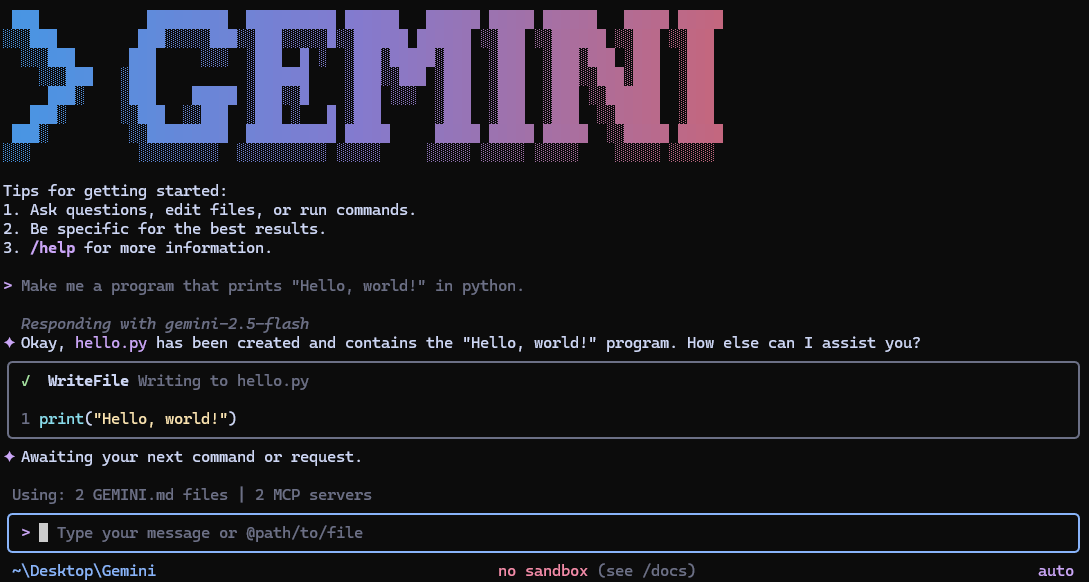
Gemini CLI is an open-source AI agent that brings Gemini models directly into your terminal, providing a lightweight interface for coding assistance, automation, and natural language queries. It solves the problem of accessing powerful AI capabilities without leaving the command line, targeting developers who want to integrate AI into their workflows.

🎬 Google Gemini CLI Is FREE & Crazy Powerful: Real World Coding Test & First Impressions · aiwithbrandon
✨ Key features
- Free tier: 60 requests/min and 1,000 requests/day with personal Google account.
- Access to Gemini 3 models with 1M token context window.
- Built-in tools: Google Search grounding, file operations, shell commands, web fetching.
- MCP (Model Context Protocol) support for custom integrations.
- Terminal-first design for developers.
- Open source under Apache 2.0 license.
🎯 Use cases
- Query and edit large codebases with natural language.
- Generate new apps from PDFs, images, or sketches using multimodal capabilities.
- Automate operational tasks like querying pull requests or handling complex rebases.
- Run non-interactively in scripts for workflow automation.
- Integrate with GitHub for automated PR reviews and issue triage.
📦 Installation
🧰 Requirements: Requires Node.js (for npm installation) or Homebrew/MacPorts on macOS/Linux; authentication via Google account, Gemini API key, or Vertex AI credentials.
Quick Install
Run instantly with npx
npx @google/gemini-cli
Install globally with npm
npm install -g @google/gemini-cli
Install globally with Homebrew (macOS/Linux)
brew install gemini-cli
Install globally with MacPorts (macOS)
sudo port install gemini-cli
Install with Anaconda (for restricted environments)
conda create -y -n gemini_env -c conda-forge nodejs
conda activate gemini_env
npm install -g @google/gemini-cli
🚀 Usage
Basic Usage
Start in current directory:
gemini
Non-interactive mode for scripts:
gemini -p "Explain the architecture of this codebase"
⚠️ Good to know
Preview and nightly releases may contain regressions or outstanding issues; stable releases are promoted weekly.
❓ FAQ
How do I authenticate?
You can sign in with your Google account (OAuth), use a Gemini API key, or configure Vertex AI. See the authentication guide for details.
What are the free tier limits?
With a personal Google account, you get 60 requests per minute and 1,000 requests per day. With a Gemini API key, you get 1,000 requests per day with Gemini 3.
Can I use Gemini CLI in scripts?
Yes, use the -p flag for non-interactive mode, and optionally --output-format json or stream-json for structured output.
How can I extend Gemini CLI with custom tools?
You can use MCP (Model Context Protocol) servers configured in ~/.gemini/settings.json to add custom integrations.
📊 Repository
🤖 Overview, features, install steps and FAQ were generated from the project's README on Sep 4, 2026. Always check the original source before running commands.