Codex-CLI
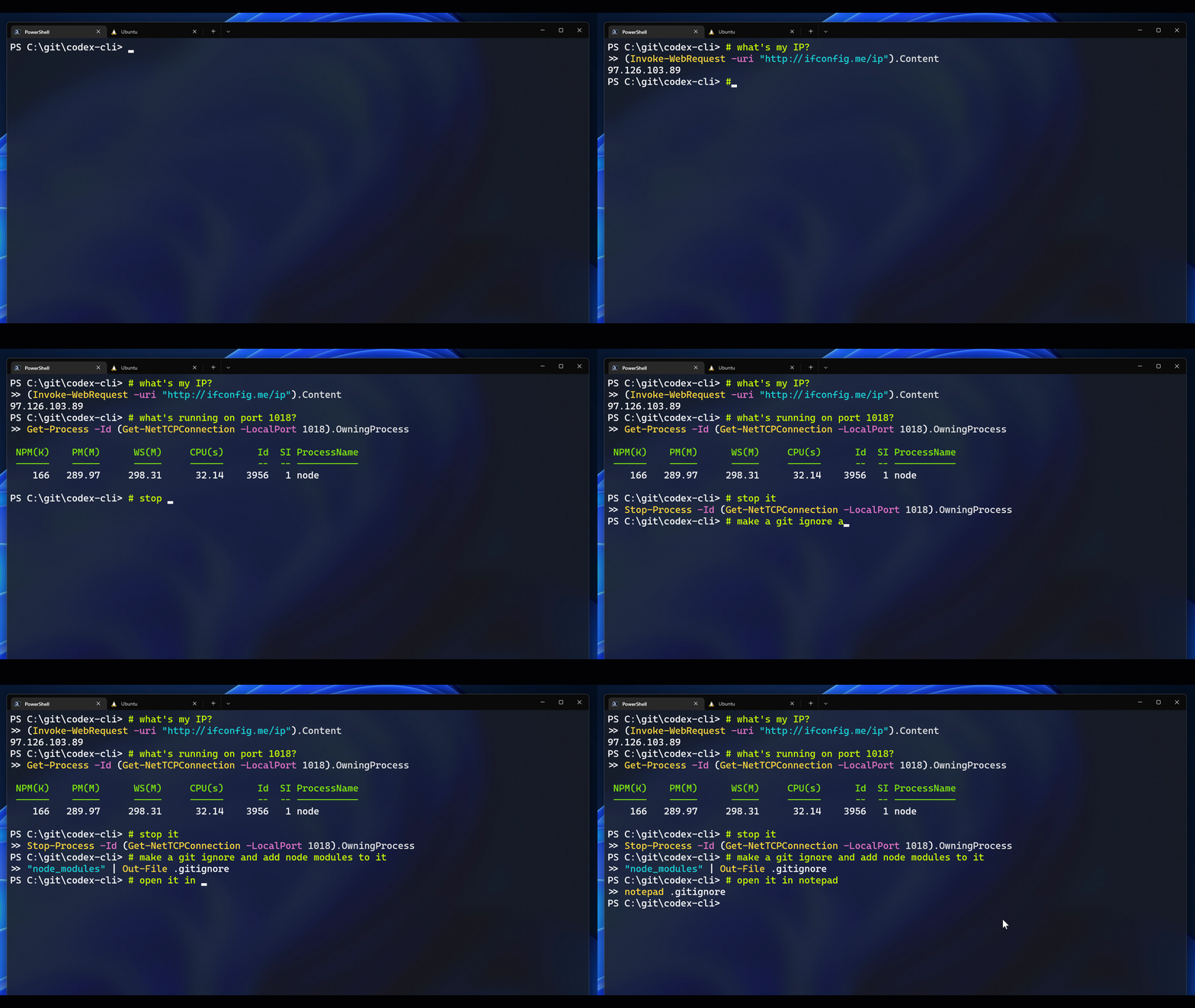
Codex-CLI is a natural language command line interface that translates plain English commands into shell commands for PowerShell, Z shell, and Bash using OpenAI's GPT-3 Codex model. It solves the problem of needing to know exact shell syntax by letting users type what they want and get a suggested command. It is for developers and power users who want to interact with their terminal more intuitively.
✨ Key features
- Cross-shell support for PowerShell, bash, and zsh
- Single-turn and multi-turn interaction modes
- Customizable prompt contexts for tailored command suggestions
- Commands to manage context files and configuration
- Uses GPT-3 Codex off-the-shelf with prompt engineering
- Open source example from Microsoft Build 2022
🎯 Use cases
- Quickly find shell commands for tasks like checking IP address
- Generate complex scripts from natural language descriptions
- Create custom contexts for domain-specific tools like Kubernetes
- Learn shell syntax by seeing suggested commands
- Automate repetitive tasks with natural language instructions
📦 Installation
🧰 Requirements: Requires Python 3.7.1+ (added to PATH on Windows), an OpenAI account with API key, organization ID, and engine ID (e.g., code-davinci-002).
Please follow the installation instructions for PowerShell, bash or zsh from here.
🚀 Usage
Once configured for your shell of preference, you can use the Codex CLI by writing a comment (starting with #) into your shell, and then hitting Ctrl + G.
Example:
# what's my IP address
Press Ctrl+G to get a suggested command.
⚠️ Good to know
The model can still make mistakes; do not run commands you don't understand. This is not a released product and is for demonstration purposes.
❓ FAQ
What OpenAI engines are available to me?
You can check available engines by querying the List engines API with your API key and organization ID. See the README for curl and PowerShell examples.
Can I run the sample on Azure?
Currently, the sample works with Codex on OpenAI's API. It will be updated in the coming months to support Azure OpenAI Service.
How do I change the model engine or other settings?
Use the set command in a comment, e.g., # set engine cushman-codex, # set temperature 0.5, or # set max_tokens 50.
How do I create a custom context?
Create a context file with examples of natural language comments and corresponding shell commands, save it in the contexts folder, and load it with # load context <filename>.
📊 Repository
🤖 Overview, features, install steps and FAQ were generated from the project's README on Sep 4, 2026. Always check the original source before running commands.