AgentArk
AgentArk is a self-hosted Rust runtime for AI agents that learn from experience and enforce safety boundaries. It solves the problem of deploying private, self-learning agents that can act on your data without sending it to the cloud. It is for developers who want to build and deploy AI agents with full control, privacy, and auditability.
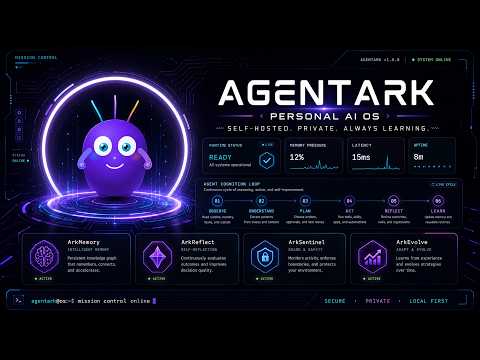
🎬 AgentArk Demo · AgentArk
✨ Key features
- Self-hosted via Docker, data stays local.
- Reviewable self-learning from corrections and outcomes.
- Sandboxed execution with approval queue for risky actions.
- Deploy agents as apps, automations, watchers, or chat.
- Integrates with Gmail, Calendar, Telegram, Slack, and more.
- Open source under MIT and Apache 2.0.
🎯 Use cases
- Build a personal assistant that learns preferences and schedules daily briefs.
- Deploy a webhook that posts Stripe alerts to Telegram.
- Create a watcher that monitors inbox for urgent messages.
- Generate and deploy a landing page with a public URL.
- Automate multi-step workflows with tool integrations.
📦 Installation
🧰 Requirements: Requires Docker (installer can install it) and an LLM provider (local via Ollama or API key for Anthropic, OpenAI, Gemini, or Groq).
Quick start (Docker image, no source clone)
macOS / Linux:
curl -sSL https://raw.githubusercontent.com/agentark-ai/AgentArk/main/scripts/install.sh | bash
Windows:
irm https://raw.githubusercontent.com/agentark-ai/AgentArk/main/scripts/install.ps1 | iex
The installer asks before installing Docker if Docker is missing, starts Docker Desktop when needed, downloads only the Compose/runtime helper files into ~/agentark or %USERPROFILE%\agentark, pulls the published AgentArk image, and starts the stack. No Git clone is needed for normal use. Review the script before piping it to a shell.
Open http://localhost:8990, pick your LLM provider in Settings, start chatting.
Source checkout
Use Git only if you are building or coding AgentArk:
git clone https://github.com/agentark-ai/AgentArk.git && cd AgentArk
AGENTARK_IMAGE=agentark:dev ./scripts/start.sh build
On Windows source checkouts:
git clone https://github.com/agentark-ai/AgentArk.git && cd AgentArk
scripts\start.bat build
🚀 Usage
After installation, open http://localhost:8990, select your LLM provider in Settings, and start chatting. Example interaction:
> Every weekday at 9am, send me a daily brief with weather,
  calendar, urgent email, and overdue tasks.

> Remember that I prefer concise answers and daily updates in Telegram.
⚠️ Good to know
AgentArk is beta software; keep approvals enabled, back up data, and review actions before trusting results. Currently runs as one global workspace; project-specific workspaces are deferred to phase 2.
❓ FAQ
How does AgentArk keep my data private?
AgentArk runs in Docker on your machine, storing memory, secrets, and audit trails in local volumes. It never uses a managed cloud backend.
Can I use my own LLM provider?
Yes, you can point AgentArk at Ollama or any local model, or bring your own Anthropic, OpenAI, Gemini, or Groq key. You pay the provider directly with no markup.
What happens if an agent tries a risky action?
Every action that touches the world goes through a permission gate. Anything not pre-authorized goes into an approval queue for your review.
How does self-learning work?
AgentArk learns from accepted work, corrections, repeated workflows, and live tool outcomes, then proposes improvements to memory, prompts, routing, and other components.
📊 Repository
🤖 Overview, features, install steps and FAQ were generated from the project's README on Sep 4, 2026. Always check the original source before running commands.